Revolutionize your workflow with Auto Trace
This AI-powered tool allows you to instantly transform raster images into beautiful high-quality vector assets.
From raster to vector in a tap
Auto Trace uses a custom algorithm to turn sketches and photos into endlessly editable vector graphics. Rather than spend hours tracing over images with the Pen Tool, let Auto Trace work its magic. Then, spend your time refining the details by creating or deleting paths and nodes, changing colors, and more.
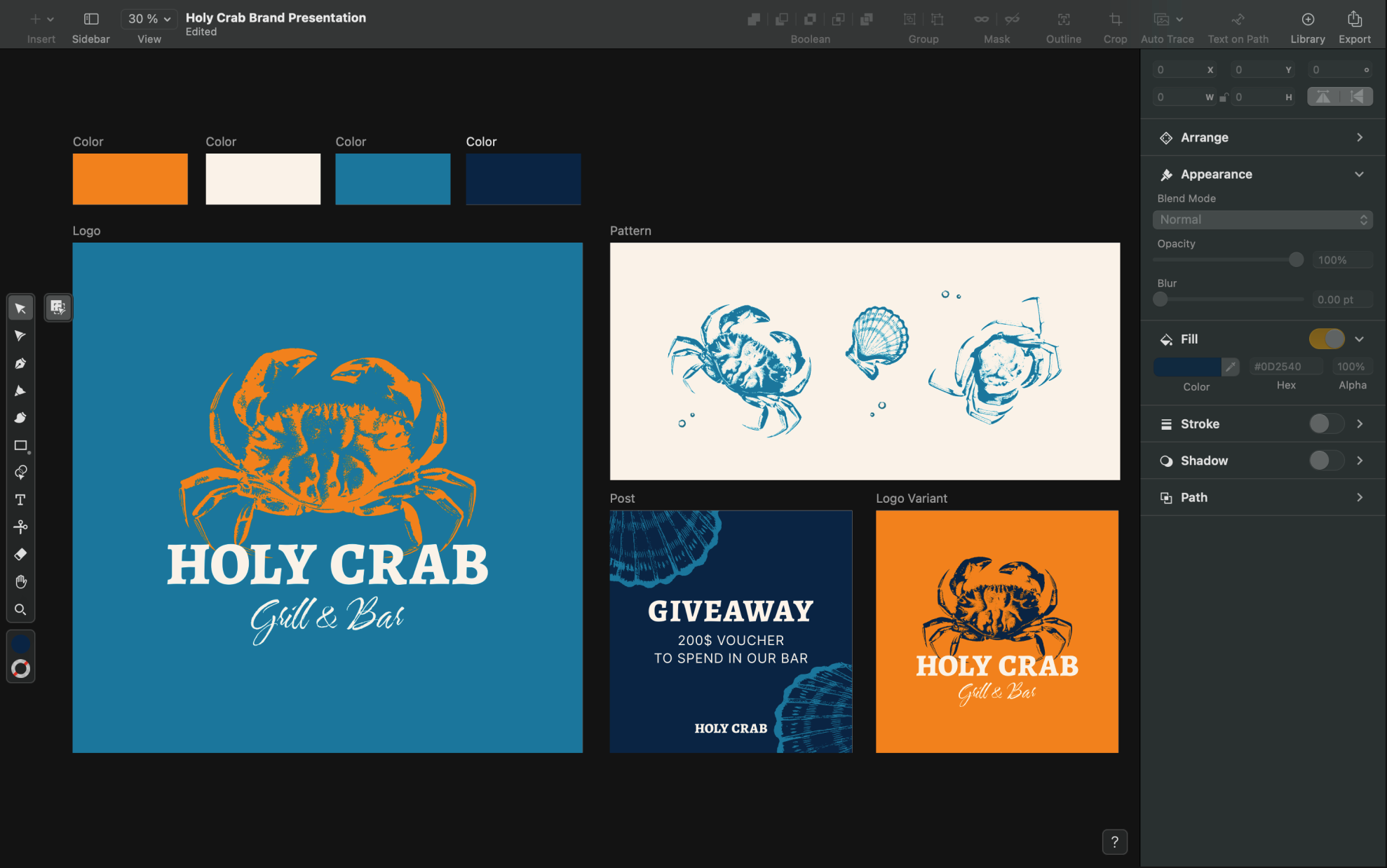
No more manual tracing
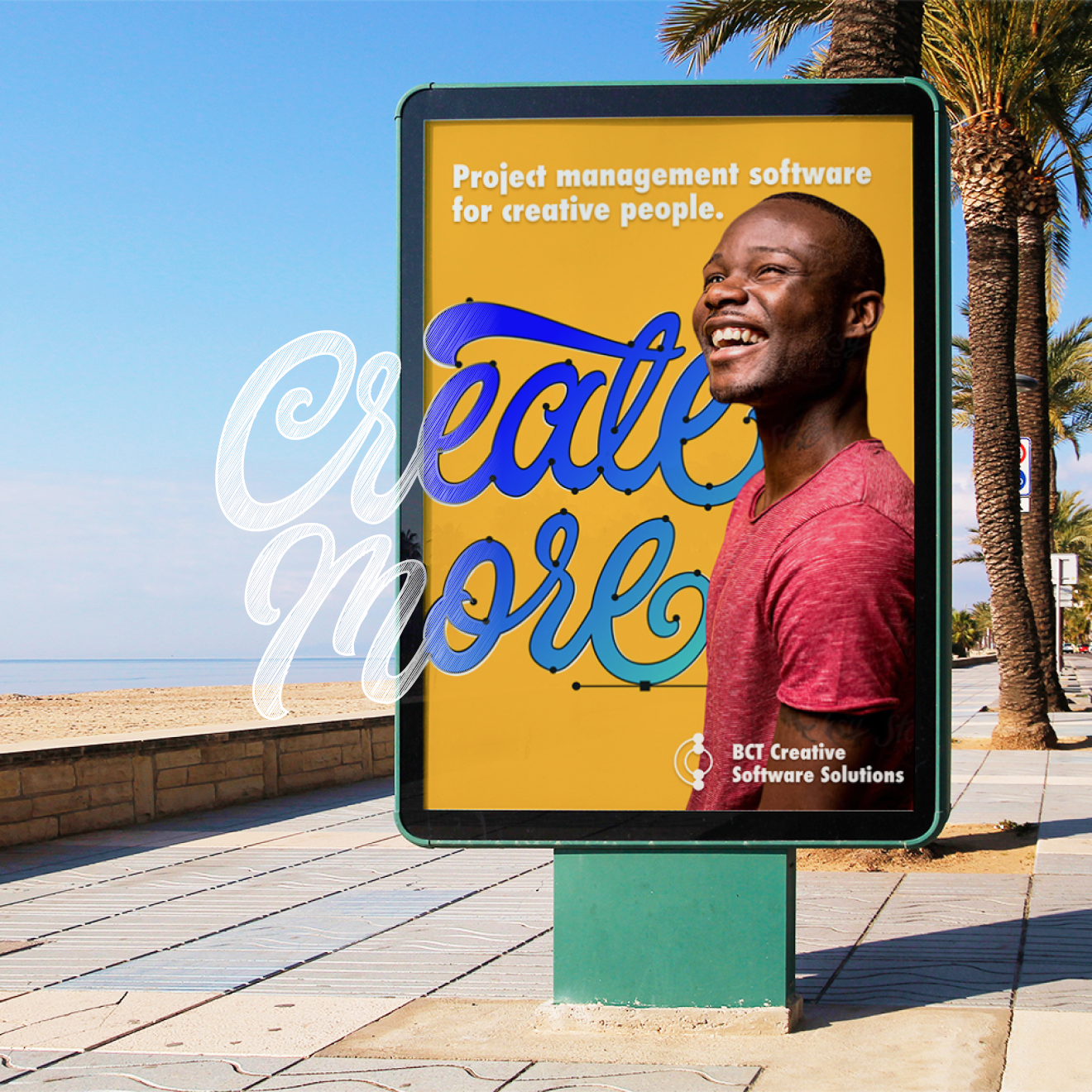


Auto Trace has three modes for different use cases: Sketch, Photography, and Illustration. If you don’t know which one to choose, our CoreML Machine Learning model will analyze your images and automatically select the right one. Sketch Mode scans your imported drawings on paper and turns your pen and pencil lines into editable vector paths. This mode works particularly well with hand-drawn lettering and logos.
Jumpstart your design workflow
Explore Linearity Curve's powerful tools and features on Apple devices.
What sets Auto Trace in Linearity Curve apart from other tools?
With just a tap, Auto Trace utilizes a custom algorithm to transform raster images and photos into editable vector graphics. Whether you’re converting sketches or photos, this AI-powered tool streamlines the process.
Compared to other tools, you'll spend less time on tedious manual tracing, and will have more time to spend on refining details.
Features | Other tools | |
|---|---|---|
AI precision | ||
Easy + instant transformation | ||
Custom algorithm for different image types |
1 million+ high-resolution images
Choose from a library of free photos to use in your designs.
1k+ design templates
Launch your ideas faster with free, ready-to-use templates.
80k+ royalty-free icons
Drop these vector elements straight into your document.
Explore other Linearity Curve tools
Linearity Curve’s powerful suite of tools is ideal for marketing design. You can create user interfaces, social media posts, logos, lettering, and print designs, all in the same tool. Then bring your designs to life by animating them in Linearity Move.
:quality(75))
:quality(75))
:quality(75))
:quality(75))
Frequently-asked questions
超级容易。 只需导入图像,并选择适应图像的涂鸦或照片功能,然后在 “快速操作” 选项中选择 “自动追踪” 即可。 我们的软件将自动分析您输入的图像,并在管理菜单的 “类型” 选择器部中确认是 “草图“ 或是 “图片”。 接下来,您可以使用跟踪选项进行复杂度和对比度设置,以帮助您的作品得到完美的细节呈现。 最后,点击自动跟踪按钮,见证您的光栅图形在几秒钟内变成高分辨率图像! 完成后,您可以使用 Curve 中的其他选项和工具来完善您的设计。
Join the Linearity Community











:quality(75))