

How Linearity and Figma work together
For Figma users, Linearity is the ideal companion design software, enabling teams to transform static assets with dynamic animations.
Linearity takes your Figma designs to the next level
Easily export, refine, and animate your design assets with our Figma plugin on Mac or iPad.

Revolutionize asset creation
Say goodbye to slow processes and design obstacles. Linearity software is easy to learn and powerful enough to keep up with your ideas.
Smooth integration
Design 30% faster
Animate instantly
Design in Figma. Animate in Move
Captivate, communicate, convert

Features to make your content stand out
Linearity Move is built to make animation accessible to everyone. Join other professionals in discovering its game-changing potential.
Auto Animate

Pinning

Presets

Why animate in Linearity Move over Figma?
Linearity Move is simple, yet powerful. No need to be a pro—Just jump in and start moving!
Enjoy an intuitive interface and advanced animation features that empower you to create dynamic and engaging user experiences, social media assets, and more.
Features | Figma | |
|---|---|---|
Cloud storage | ||
Animation presets | ||
Auto Animate | ||
Canvas animation | ||
Morphing | ||
Pinning | ||
Animation timeline | ||
Animation templates | ||
Transparent backgrounds | ||
8K exports | ||
Gif export | ||
Real-time collaboration |
Upgrade your static assets

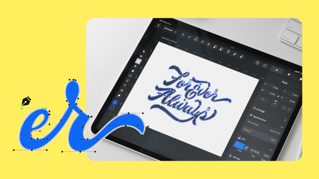
From sketch to vectors in a tap
A superior Pen Tool
Why design in Linearity Curve over Figma?
Linearity Curve is the fastest and easiest design tool on the market. Our precision-perfect tools empower you to level up your design workflow and turn static designs into jaw-dropping marketing assets.
Features | Figma | |
|---|---|---|
Cloud storage | ||
Pen Tool | ||
Shape Tool | ||
AI Backgrounds | ||
Brush Tool | ||
Free design templates | ||
Auto Trace | ||
Shape Builder | ||
Background removal | ||
3m+ free images | ||
80k+ free icons |









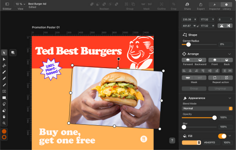
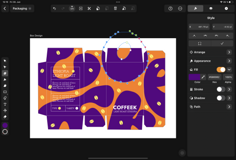
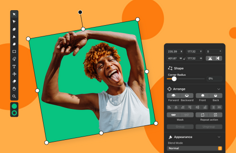
Integrated Library
Asset Tab
Templates
Library of over 80k free integrated assets
With Linearity Curve, you can access over 80k royalty-free icons and Apple SF Symbols to use in your designs. Plus, your team can even use our in-app Unsplash integration to import royalty-free images directly in the software.


:quality(75))
Frequently-asked questions
Figma 有四个定价级别:免费入门级,专业级别、团队和企业级别。 无论选择哪个等级,您都可以使用Figma创建无限数量的商业和个人项目,包括使用原型设计功能为网站和应用程序制作设计模型和内容感知布局。
Figma的一体化平台专为UX和UI设计师、平面设计师和交互设计师配备。 每项强大功能都是基于矢量的,使其成为用户体验设计的绝佳原型制作工具。 无论是用户体验设计师或相关用户界面设计师,Figma都能助你为应用程序设计和网站构建交互式原型。
根据需求的不同,相应的设计软件和协作工具可能价格不菲。 如果您的预算紧张,不妨将目光投向同样功能强大且免费的工具。 Curve就是替代Figma的不错之选,我们的软件可以在所有的 iOS 设备上免费使用! 在使用 iPhone 和 iPad 等移动设备时,用户能充分享受我们的触控友好型功能。 Curve(原Vectornator)的桌面版为使用绘图板或键盘和鼠标的用户提供了出色的用户体验。