

What's the best Canva alternative?
Both Canva and Linearity offer convenient templates for quickly creating marketing assets, but Linearity stands out with unmatched creative control and advanced animation features.
Design and animate without limits
Unlike Canva's limited raster tools, Linearity offers powerful vector-based tools, eliminating worries about size and resolution. Design and animate effortlessly for anything from Instagram stories to giant billboards.
Plus, we've got your back with photo editing tools, including handy features like photo import, background removal, and AI Backgrounds.
- Experience the advantages of both vector and raster tools.
- Create versatile designs and animations for social media, billboards, and more.
Features | Canva | |
|---|---|---|
Templates | ||
Cloud storage | ||
Free images and icons | ||
Background removal | ||
AI Backgrounds | ||
Animation presets | ||
Animation timeline | ||
Auto Animate | ||
Vector drawing tools | ||
Auto Trace | ||
GIF export | ||
Figma plugin |
Templates you'll actually use
Linearity has allowed us to innovate our workflows to deliver faster to clients.
Agency owner
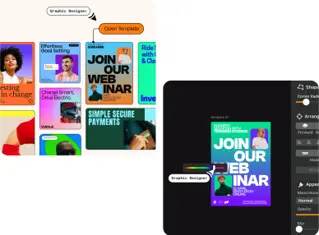
Easy tools, professional results
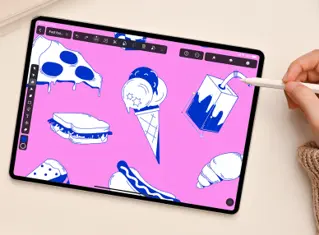
Free assets for every project
Animate in a click
Remove backgrounds instantly

Everything you need, all in one place
Access a vast library of free assets like icons, Unsplash images, fonts, and more
Store your favorite elements, text, and colors easily with the Assets Tab
Explore thousands of free, ready-to-customize design and animation templates
Switch to Linearity Move to easily create stunning animations from your static assets
Linearity tools at a glance
Linearity's suit of advanced features is ideal for designers and animators of all levels.
Auto Animate
Turn your illustrations into moving images in seconds.
Background removal
Remove photo backgrounds with the tap of a button.
Pen Tool
Define precise vector points and create custom paths with Bèzier curves.
Brush tool
Freely draw editable vector paths.
Shape Builder
Quickly sculpt complex designs from multiple shapes
Design and Animate mode
Seamlessly toggle between designing and animating.
Bring your stories to life with Linearity Curve
Flexible design process
Designers in marketing teams use different devices and methods. That's why we made Linearity Curve and Linearity Move for iPad and Mac. Work whenever, wherever you want. Your projects sync automatically, so you can pick up where you left off anytime.
- Design and animate on iPad or Mac.
- Team workspaces coming soon!
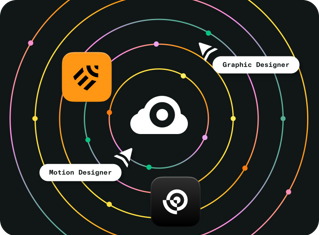
Endless third-party importing options
Since Linearity Curve is built by designers for designers, we’ve experienced the pain of bad import and export options in other tools before as well.
That's why we built a software that can be used completely standalone and in combination with other tools.




Templates
Background Removal
Auto Trace
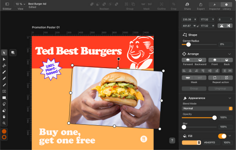
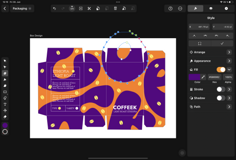
Templates
Save time and effort with more than 3,000 beautiful templates. Each one is fully customizable, giving you complete control over your design. You can adjust colors, fonts, and layout to suit your specific needs, making each template your own.






Frequently Asked Questions
当然可以! 我们甚至有各种预制模板,只待您上手设计。 只需打开应用程序,点击 “新建文档”,然后点击 “社交媒体” 即可浏览Facebook、Instagram、Twitter、YouTube和Linkedin的不同大小的模板。 对于喜欢有趣视觉效果的市场运营者,Vectornator真的很实用。
可画是一款在线编辑器,可在工作时自动保存您的设计。 您的所有设计都将在可画主页的 “你的项目” 文件夹中。 当您准备好导出文件时,您可以下载已完成的设计并将其保存到设备上。 之后就可以将文件存储在 Google 云端硬盘、iCloud 等任何地方!
许多程序开发者称矢量软件的难度系数很高,但我们设计Curve的初衷就是让矢量软件简单易学。 我们的程序非常直观易懂,专为在 Mac、iPad 甚至您的 iPhone 上使用而设计。 请访问我们的学习中心和Bilibili频道,了解更多使用Curve的小贴士。
可画非常易于上手,如果您想要详细了解这款热门软件,网上有很多介绍其功能的视频教程。
如果您是专业设计师,您可能会更倾向Curve这样的设计工具。 我们有一系列模板和各种基于矢量的工具,可帮助您创建各种视觉效果。 进入我们的学习中心,轻松上手Linearity。


:quality(75))