
Linearity Curve 6.8 introduces Glass Effect!
:quality(75))
The Glass Effect arrives in Linearity Curve 6.8!
Linearity 6.8 introduces one of the most visually exciting additions to Linearity Curve - Glass Effect. This new effect makes it easy to create translucent materials with refraction, dispersion and lighting.
Alongside this new visual capability, we’ve improved several everyday interactions across the application: from editing and adjusting text more fluidly to making artboards easier to place and select.
Let’s walk through what’s new.
A new Glass Effect
One of the biggest highlights of 6.8 is the new Glass Effect, allowing designers to create beautiful translucent surfaces directly inside Linearity Curve.
This effect behaves similarly to modern glassmorphism materials used in many interfaces today.
You can apply it to shapes placed above content, like a rectangle above text or images, to create a refracted glass look that reacts to the design beneath it.
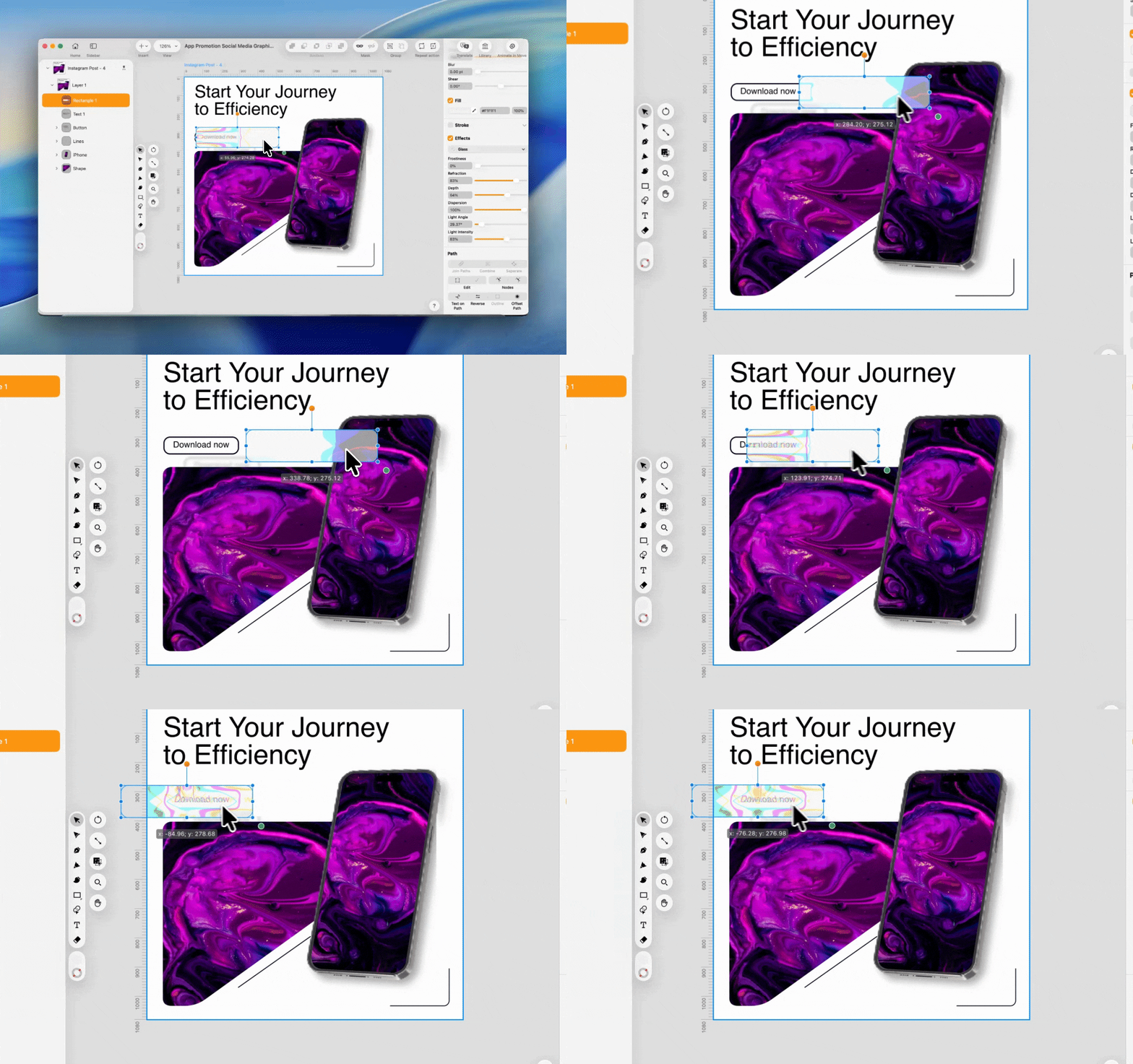
What you can control
The Glass effect settings in the Inspector gives you precise control over the material:
- Frostness: controls how blurred the background becomes.
- Refraction: distorts the background content through the glass surface.
- Depth: adjusts the perceived thickness of the material.
- Dispersion: splits light into subtle color shifts for a prismatic effect.
- Light Angle: defines the direction of the simulated light source.
- Light Intensity: controls how strong the lighting effect appears.
:quality(75))
Together these settings make it possible to create everything from subtle frosted panels to vibrant glass-style UI elements.
To use it, simply place a shape above your content and enable Glass in the Effects section to start experimenting.
Currently, the Glass Effect can be applied to vector shapes and text objects. Raster images are not supported yet.
Layout actions now in the Inspector
Several common layer actions are now easier to find.
Previously, some of these controls were located in different menus depending on the device. In 6.8, they are now available directly in the Layout section of the Style Inspector on both macOS and iPad, making them quicker to access while working on your design.
This includes actions such as:
- Group / Ungroup
- Move layer to front or back
- Mask / Unmask
- Repeat actions
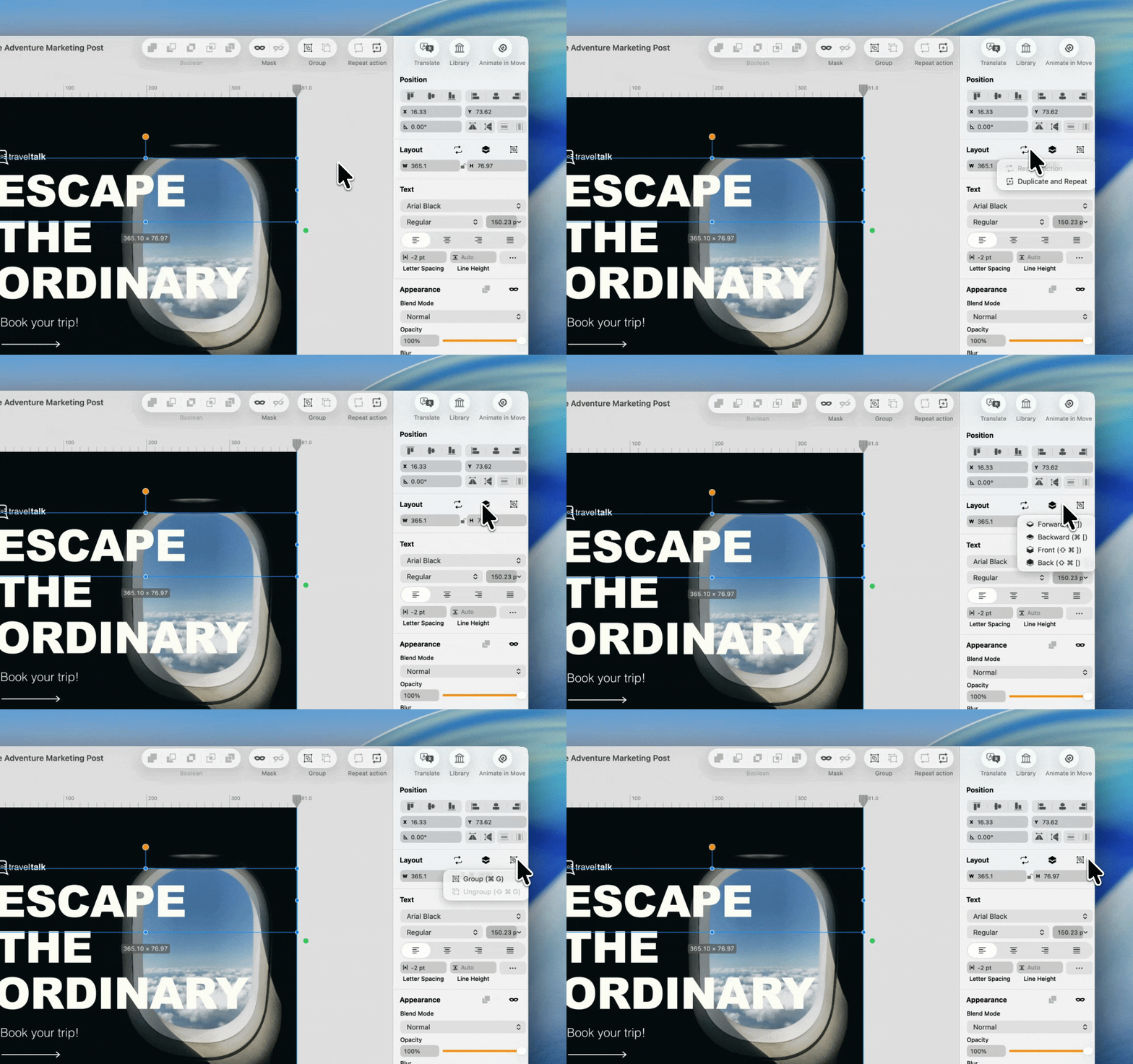 Keeping these controls in the Layout section makes the Inspector more consistent across devices and keeps important structure actions in one place.
Artboard preview appears before placement
Creating artboards is now much more predictable.
Previously, when the Artboard Tool was active, you didn’t see how large the artboard would be until after placing it.
Now, Curve shows a preview outline under the cursor before insertion.
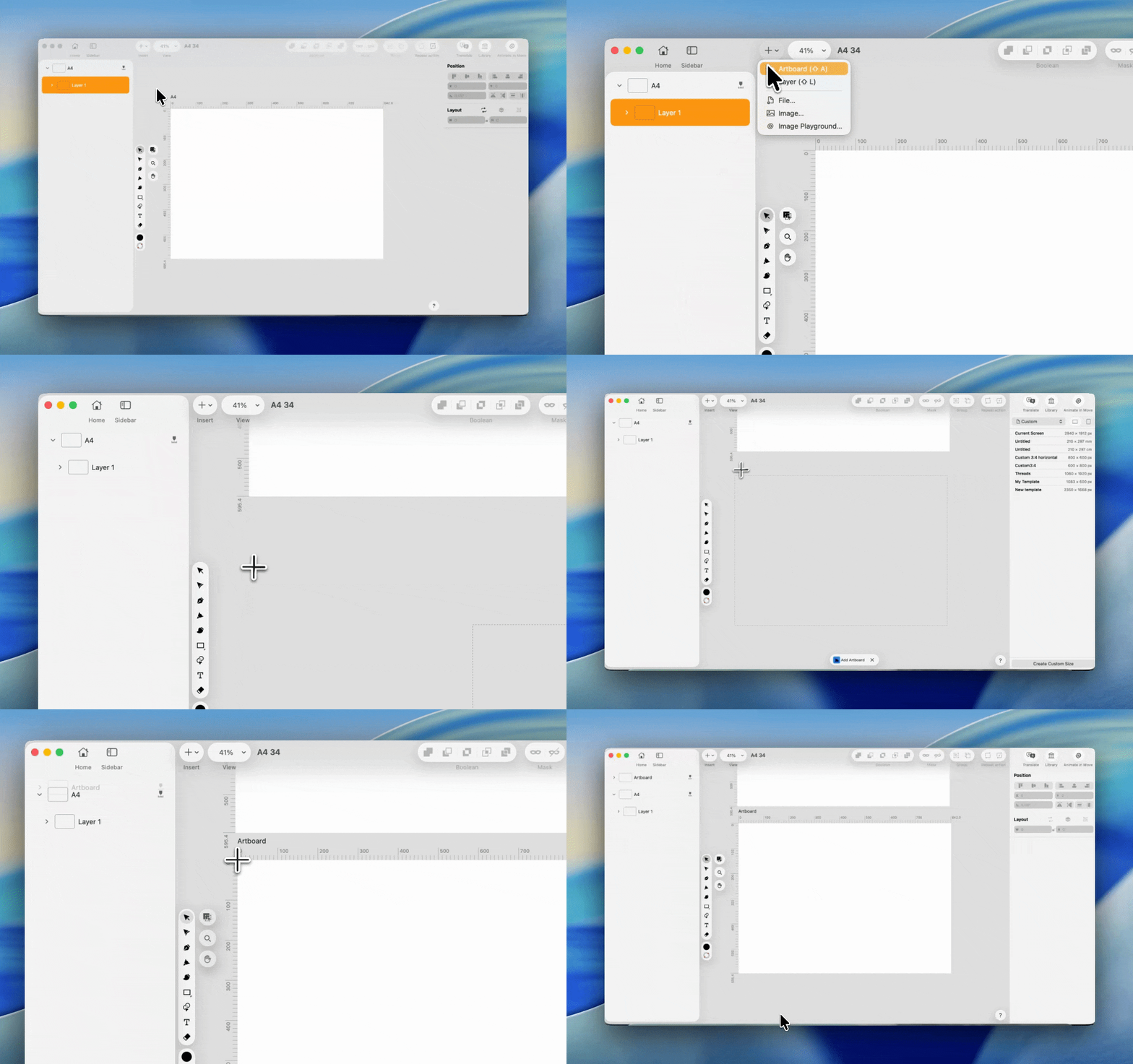
Empty artboards can now be selected by clicking inside them
Selecting empty artboards is now far more intuitive.
If an artboard contains no elements:
- Clicking anywhere inside the artboard selects it
- Hovering inside the artboard highlights it
- Clicking the title also selects it
If an artboard contains elements:
- Clicking an element selects the element
- Clicking empty background space does not select the artboard
- Clicking the title selects the artboard
Annoying issues fixed
As always, we fixed a number of smaller issues behind the scenes:
- Several minor crashes resolved
- Improved overall stability
- Small interface inconsistencies polished
Super Resolution is coming soon
We’re also working on Super Resolution, a new feature that will allow you to upscale images while preserving clarity and detail.
This will make it easier to work with lower-resolution assets and prepare images for larger layouts without losing quality.
Superresolution will be arriving in an upcoming update and we’re excited to share more soon.
:quality(75))
Get the latest update
Update to the latest version of Linearity Curve 6.8 to start designing with the new Glass Effect and enjoy smoother text editing, improved artboard controls and a more consistent Inspector on macOS and iPad.
Join the Linearity community
We love seeing what you create with Linearity Curve.
If you want to share your work, get feedback, or talk with other designers, come join the community on Discord.
:quality(75))
Welcome to the Linearity Community
Join Linearity DiscordThanks again for being part of the Linearity community 🧡
Happy designing and animating!
:quality(75))
:quality(75))
:quality(75))

App of the Day
6.1K ratings
Get Started for free

Design in Curve.
Create sharp, scalable designs with intuitive tools for logos, illustrations, and professional branding.
Download Now
Animate in Move.
Effortlessly create animations for social media, online ads, and motion graphics.
Download NowTrusted and used by leading brands


