Linearity Curve & Move 6.10: corner smoothing, path bending, page color and a new community hub
Hey everyone 👋
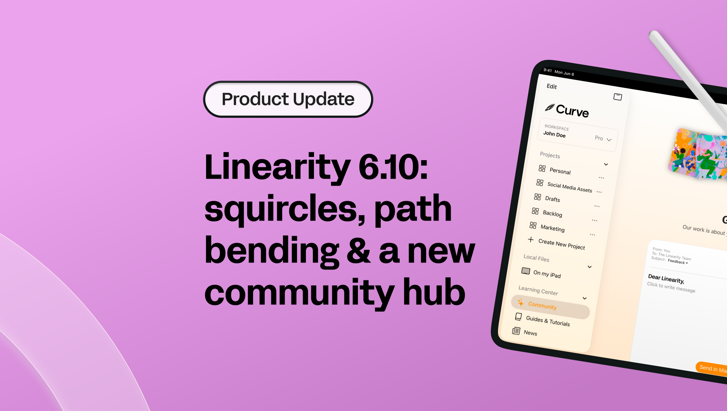
6.10 brings a focused set of improvements: corner radius smoothing, a smarter node tool, page color control and our new Community hub.
There are also some updates to what's included in free vs Pro. We'll cover those clearly.
Let's get into it.
Corner smoothing
Corner Radius now includes corner smoothing.
This gives you more control over how rounded corners look. Instead of a standard circular curve, you can apply a smoother, more continuous transition, closer to what you'd see in modern UI design or the squircle shapes used in iOS icons.
It's a single setting alongside the existing corner radius control. Dial it up to soften the corners further, or leave it at zero to keep the standard behavior.
If you work on app UI, icons, or anything where the shape of a rounded corner actually matters, this is worth exploring.
Path bending
Previously, dragging directly on a path segment would insert a new node and move it, which wasn't always what you wanted. Now, dragging a segment bends the curve directly. It's a more intuitive way to sculpt paths.
The rest of the behavior stays the same. Tap a path to add a node. Drag an existing node to move it. Only dragging on the segment itself has changed, and it's a much better default.
Page color control
You can now change the page color.
Previously the canvas background was fixed. Now it's adjustable, which helps in a few common situations:
- Designing light elements that disappear against a grey canvas
- Checking how artwork looks on different background colors before export
- Keeping your workspace comfortable for longer sessions
Community
We've added a Community hub inside Linearity Curve — a new home for everything that connects you with us and fellow designers.
Come hang out with other Curve and Move users, share your work, ask questions, and chat directly with the team. It's the best place to stay close to what we're building.
From the same screen you can also send us feedback, report a bug with diagnostic logs, request features or leave a review — all without leaving the app.

We build to make your creative work better 🫶
Foundational fixes & performance
We also delivered bug fixes, SVG import improvements, a brand-new onboarding tutorial and more. Update to 6.10 through the App Store or from within the app to get everything.
Pro update
Exporting in Linearity Move is now a Pro feature.
We know changes like this can be frustrating, so we want to be straightforward: it helps us keep investing in the product. If you're using Linearity regularly, Pro is worth a look.
Get the latest update
Update to 6.10 through the App Store or from within the app.
Join the Linearity community
We love seeing what you create with Linearity Curve.
If you want to share your work, get feedback, or talk with other designers, come join the community on Discord.

Welcome to the Linearity Community
Join Linearity DiscordReady to go Pro?
Unlimited files, exports, AI tools, local files and same-day support. Everything you need to create without limits.
Plus updates every month. Next up: Noise effect.
If you've been thinking about upgrading, now's the moment. Get 50% off Pro — this offer expires at the end of May.
See you on the Pro side?
Thanks again for being part of the Linearity community! Happy designing and animating 🧡

App of the Day
6.1K ratings
Get Started for free

Design in Curve.
Create sharp, scalable designs with intuitive tools for logos, illustrations, and professional branding.

Animate in Move.
Effortlessly create animations for social media, online ads, and motion graphics.
Trusted and used by leading brands


