Everyday Precision: How Creators Use Linearity for Technical Drawing
Explore the world of technical drawing with Linearity Curve. Learn how hobbyists, makers, and small businesses create accurate, creative, and scalable vector designs from schematics and floor plans to gardens, packaging, and animated step-by-step guides.
In this article
- What is technical drawing
- Common and unusual types of technical drawings
- Real examples from Linearity users
- Why Linearity fits technical and semi-technical work
- Best practices for accurate vector design
- How to create technical drawings in Linearity Curve
- Bringing motion to your diagrams with Linearity Move
- Coming soon: Snapping Measurements
What is technical drawing?
Technical drawing is more than blueprints or engineering plans, it’s a visual language for precise communication.
It combines functionality and aesthetics, translating ideas into actionable, measurable designs. This is true whether you’re mapping a garden, wiring a guitar, or designing a tiny robot.
A drawing is not simply a representation; it’s a way of thinking. – Renzo Piano
Linearity users leverage this mindset to create designs that are simultaneously accurate and expressive, opening technical drawing to hobbyists, educators, small business owners, and creatives.
Types of Technical Drawings
Technical drawing spans a wide variety of creative and practical disciplines, and Linearity users are discovering new ways to use vector design every day.
Schematics and Wiring Diagrams
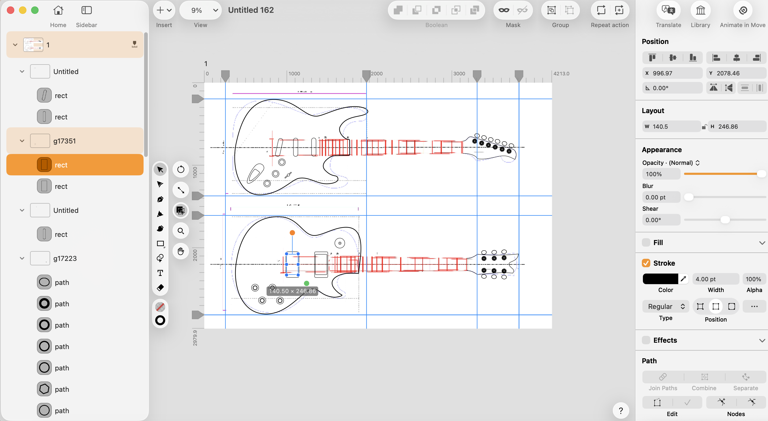
Electronics enthusiasts, hobby engineers, and musicians often map guitar pickups, pedals, or small amps. Linearity’s precision Bezier tools and vector lines make complex circuits instantly readable, allowing users to test different wiring configurations digitally before soldering.
Mapping and Landscape Plans
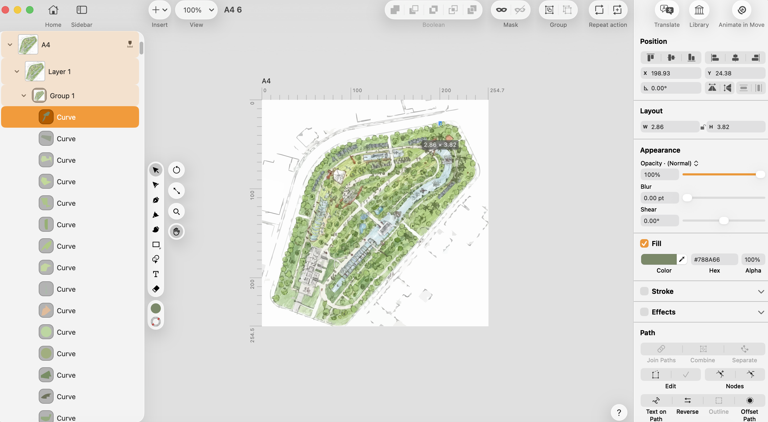
From backyard gardens to community spaces, users design irrigation systems, plant zones, and paths with grids, color-coded layers, and scalable vectors. The flexibility allows creators to experiment visually and plan accurately.
Floor and Room Plans
DIYers, interior decorators, and small architecture studios sketch apartment layouts, furniture arrangements, and renovation ideas. Linearity keeps every element editable and scalable, making design iterations easy.

Product and Packaging Layouts
Small business owners design packaging die-lines, labels, and product templates. Vector precision ensures folds, cuts, and print lines remain accurate, even across multiple sizes.

Mechanical Outlines and CNC Paths
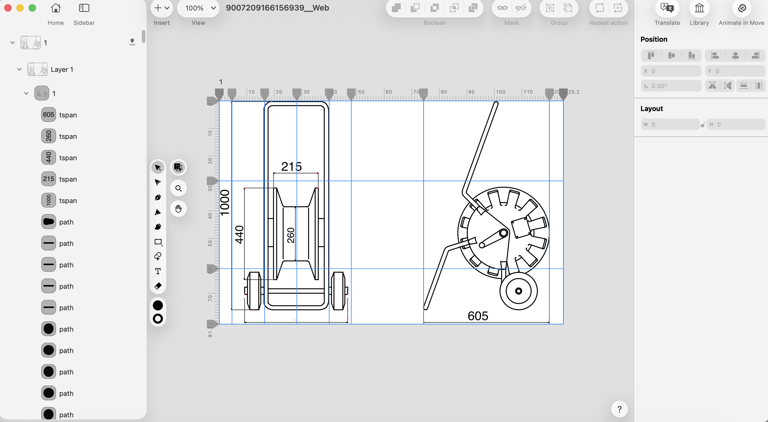
Makers create precise outlines for laser cutters, 3D printers, or small CNC machines. Vector files can be exported directly as SVG or PDF for production, reducing errors and material waste.
Step-by-Step Guides
DIY tutorials, assembly instructions, and craft guides benefit from vector illustrations that show processes clearly. With Linearity Move, steps can be animated to make instructions even easier to follow.

Other Creative and Practical Applications
Board game layouts, LED circuits for cosplay, contour maps of trails, furniture prototypes, and exhibition layouts are just some of the additional ways creators use Linearity. The possibilities are nearly limitless — any project that benefits from precision, layering, and clarity can become a technical drawing in Linearity.
Vector Design That Feels Effortless
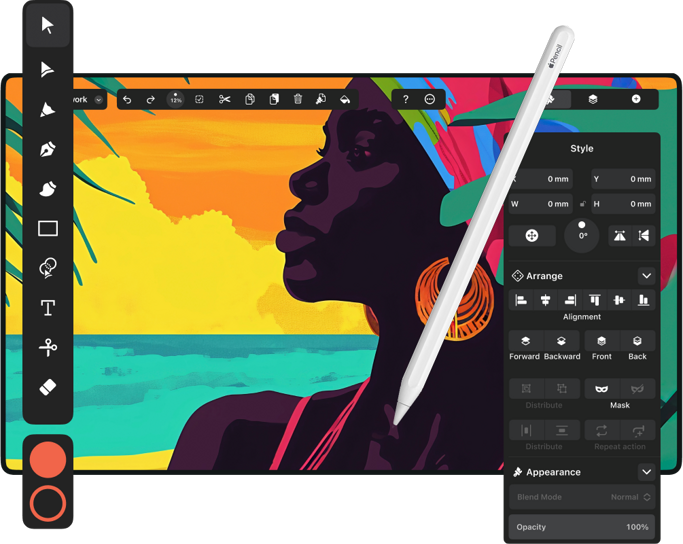
Create illustrations, logos, brand assets and more on Mac, iPad, and iPhone.
Unusual and Creative Drawings
Not all technical drawings are strictly functional. Some are born from curiosity, play, or artistic experimentation. Linearity users often create hybrid projects that combine technical accuracy with creativity.
Board game designers use Linearity to map precise tile layouts and card placements, ensuring every element fits perfectly.
Cosplayers design LED circuits for costumes, planning where each wire and battery will sit.
Hobbyists draw step-by-step DIY guides or craft assembly instructions that are as clear visually as they are useful practically.
Even contour maps of hiking trails or local forests appear on Linearity canvases, with paths, elevations, and landmarks rendered cleanly in layers.
These unusual drawings highlight a truth about technical drawing in the modern era: it’s about seeing the world in shapes, layers, and connections, and having a tool that lets you explore that vision.
Why Linearity Fits
Linearity Curve sits at a sweet spot between traditional CAD programs and purely creative illustration software. It gives creators the tools they need to measure, align, and scale, but without overwhelming them with overly complex features. Grids, snapping, and layer management make accuracy possible, while the intuitive interface keeps the process approachable.
It’s precise enough for serious work, but friendly enough to experiment, perfectly fitting for some, who doesn’t need a full CAD suite to document electrical layouts, but a flexible, vector-based canvas to think visually.
Soon, Linearity user will have access to a new snapping measurement feature, letting creators add dimension between lines, calculate distances, and work in true scale. For hobbyists and small-business users, this means professional-grade precision without the steep learning curve.
The Workflow of a Technical Creator
Every technical drawing in Linearity begins with a rough idea — a sketch, a photograph, or just a concept.
From there, the workflow is intuitive. Shapes and paths are traced, layers are organized, and text or annotations are added. Colors often indicate function: red for power, blue for neutral, green for planting zones, yellow for pathways.
When the drawing is ready, it can be exported for print, CNC, or sharing.
Linearity Move adds motion to technical drawings. Users animate assembly sequences, wiring flows, or seasonal garden layouts, making diagrams more understandable than static images ever could.
Getting Started
Starting a technical drawing in Linearity is simple. Open the app, choose a blank canvas or template, trace or sketch your shapes, organize layers, annotate with text and color, and export in the format you need. For creators who want to show motion, Linearity Move lets you animate steps and processes with ease.
To create a technical drawing in Linearity:
- Open the app and set up a grid with snapping
- Choose a blank canvas or template
- Trace or sketch your shapes with Pen and Shape tools
- Organize layers for clarity
- Annotate with text and color-code functional elements
- Export as PDF, SVG, or PNG
Whether it’s wiring a guitar, mapping a garden, designing packaging, or creating abstract technical illustrations, Linearity allows creators to translate ideas into accurate, scalable, and beautiful vector drawings.

Technical drawing no longer belongs exclusively to engineers or architects. With Linearity, it belongs to anyone who wants to plan, visualize, and fabricate. From hobbyists to small business owners, creators can combine accuracy, flexibility, and imagination in a single workflow.
With measurements on the horizon, the possibilities are only growing. Users can scale projects, test layouts digitally, animate processes, and prepare files for production — all without leaving the intuitive, approachable environment of Linearity.
It’s proof that technical drawing isn’t just about lines and angles. It’s about thinking visually, experimenting boldly, and making ideas real.
:quality(75))
:quality(75))
:quality(75))

App of the Day
6.1K ratings
Get Started for free

Design in Curve.
Create sharp, scalable designs with intuitive tools for logos, illustrations, and professional branding.

Animate in Move.
Effortlessly create animations for social media, online ads, and motion graphics.
Trusted and used by leading brands


