Store Your Files Locally with Linearity Pro
With Linearity Pro, you can now choose where your files live. Save designs directly on your device, in iCloud, or in any local folder, and decide when (or if) they sync with Linearity Cloud.
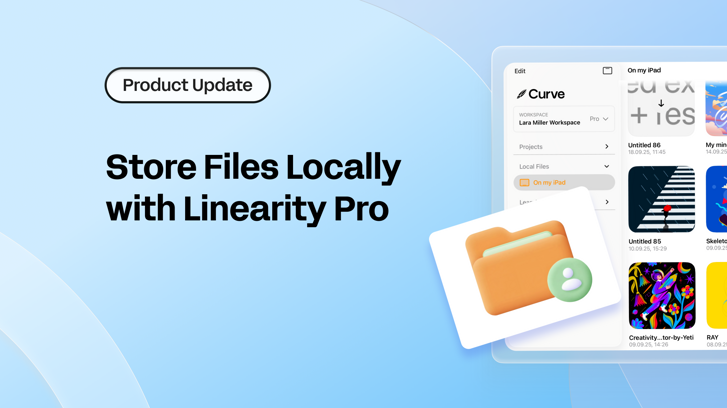
Store your files where you want with Linearity Pro 🎉
With Linearity Pro, you can now choose where your files live. Save designs directly on your device, in iCloud, or in any local folder, and decide when (or if) they sync with Linearity Cloud.
Many of you told us that while cloud storage is useful, it shouldn’t be the only option. " Let me store my files where I want,” you said. You want the flexibility to decide how and where your work is stored:
- The freedom to choose where your files live
- More control over your work, even when you’re offline
- Less reliance on a single way of working
We heard you. And today, we’re excited to announce: with Linearity Pro, you can now choose to store files locally.
What this means for you
- Pro users can now create, save, and open files anywhere on Mac, iPad and iPhone. You’ll have complete control over whether a file stays offline-only or syncs with Linearity Cloud.
- Free users will continue to use the simplicity of Linearity Cloud with an 8-file cap.
With this update, you get the best of both worlds:
- Work offline when you want.
- Use the cloud when it makes sense.
- Move files freely between your device and Linearity Cloud.
Designed with choice in mind
When you open a file from Finder or Files app, Curve will ask how you’d like to work:
- Edit Original File → work directly on the local file where it’s stored.
- Upload to Cloud → create a cloud copy and place it in a project within your Workspace.
If you open a file from On My iPad or Mac (inside the app), it will be saved locally by default. Any locally stored file can be synced to the Cloud whenever you choose.
You can also set a default preference, so Curve handles files exactly the way you prefer.
Built around your preferences
Linearity Curve gives you the choice to work with cloud storage, local files, or a mix of both.
Cloud storage is still available when you want to sync across devices, but now you can also choose to keep your work stored locally, offline and fully on your device.
It’s up to you to decide what works best for you.
Learn how to use local storage
If you want step-by-step instructions, we’ve put together short user guides for each platform:
These guides walk you through saving files locally, opening files from Finder or Files, and moving files between local storage and Linearity Cloud.
Available now
Local storage is rolling out with the latest version of Linearity Curve on macOS and iOS.
- If you’re a Pro user, you’ll see the new On My Device section in your home screen.
- If you’re a Free user and want unlimited files, export and storage options, you can upgrade to Pro anytime.
Design that doesn’t break the bank
Get pro-level design tools without the pro-level price tag.
Keep control of where your files live
If you prefer keeping files on your device, that option is available again. Install the latest Curve update to get it.
This update gives you more control over how and where you work, without removing the benefits of cloud storage when you need it

Design with precision, create with ease
Update Linearity CurveTry it Out, No Sign-Up Required
Linearity Curve is fully accessible, no account required to try, design and export or explore.
📣 Got feedback or found something that could be better? Let us know at feedback.linearity.io
💬 Need help? Reach us anytime at support@linearity.io
Linearity is evolving with the future. This update helps us on our mission towards fast, fluid, and delightful design.
Vector Design That Feels Effortless
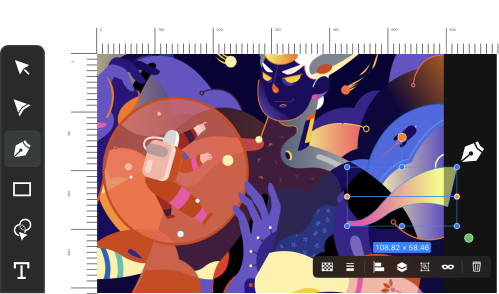
Create illustrations, logos, brand assets and more on Mac, iPad, and iPhone.
Local storage is available exclusively for Linearity Pro users.
Your local files will remain on your device, but you will not be able to open or edit them on a Free plan.
To open local files again, you’ll need to upgrade back to Pro.
No. Local file storage is only supported in Linearity Curve.
You don’t need internet to open or edit local files. You’ll need internet if you want to download a file from the cloud to store it locally. Make sure your cloud files are fully synced before downloading them.
Yes. You can save and open files from any folder on your device.
No. The limit covers your total number of files, regardless of whether they are stored in the cloud or locally.
Free = 8 files in total, combined.
Curve will ask how you want to work:
- Edit Original File → keeps it local and offline
- Upload to Cloud → creates a cloud copy inside your Workspace
You can also set a default option.
Files opened from On My Device are saved locally by default.
You can sync any of them to the Cloud whenever you choose.
Yes. Just download it to your device and move to a local folder. (Requires internet for the download.)
Yes. You can mix and match:
- Keep some files local
- Keep some in the cloud
- Move them between the two at any time (Pro only)
No. Local files stay only on the device they’re stored on. Use Cloud storage if you need cross-device access.
No. You can keep working exactly as before. Local storage is an optional addition for Pro users.
Local files stay on your device. To be safe, back up your files before uninstalling, for example, export them to the iCloud, copy them to Files/Finder, AirDrop them to another device, or save them to external storage. After reinstalling, you can restore from your backup.
:quality(75))
:quality(75))
:quality(75))

App of the Day
6.1K ratings
Get Started for free

Design in Curve.
Create sharp, scalable designs with intuitive tools for logos, illustrations, and professional branding.

Animate in Move.
Effortlessly create animations for social media, online ads, and motion graphics.
Trusted and used by leading brands


