Create vibrant animated illustrations
Discover how Linearity Move can bring your illustrations to life.
The power of motion
With video content ruling the web and social media, animation is a skill that all professional designers should have in their back pocket. Animating your drawings can truly set your characters and stories apart in the digital world, grab a larger audience, and even land you more clients. Learning something new can be tough, but Linearity Move makes it easy to add playful movement to your illustrations without any technical headaches.
- Seamlessly import your static illustrations from Linearity Curve
- Animate your design in seconds with Auto Animate
Standout features
Linearity Move is built to make animation accessible to everyone.
Auto Animate

Pinning

Presets
Illustrator who can’t animate? Now you can.
Animation isn't a skill reserved solely for motion graphic designers—it's for everyone, including illustrators. Start with simple shapes and colors, and allow your creativity to take the lead. With Linearity Move's intuitive features, you can freely experiment and play around until you discover the perfect animation.
- Auto Animate immediately creates the transitions between artboards and shapes.
- Presets allow you to quickly and easily apply complex movements to elements.
Your all-in-one animation tool
Linearity Move revolutionizes the animation process by offering two distinct modes. Animate mode is your command center for animation and timeline control, giving you the reins to manage every movement and transition with precision. Simultaneously, Design mode empowers you to make on-the-fly adjustments to your animation's design properties effortlessly. No more back-and-forth between interfaces for those small tweaks. Enjoy a hassle-free experience and keep that creative momentum going strong.
- Design and animate without switching software.
- Work on the same synced file on iPad and on Mac
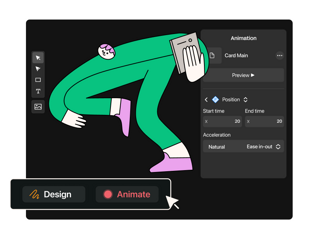
How to animate your illustrations
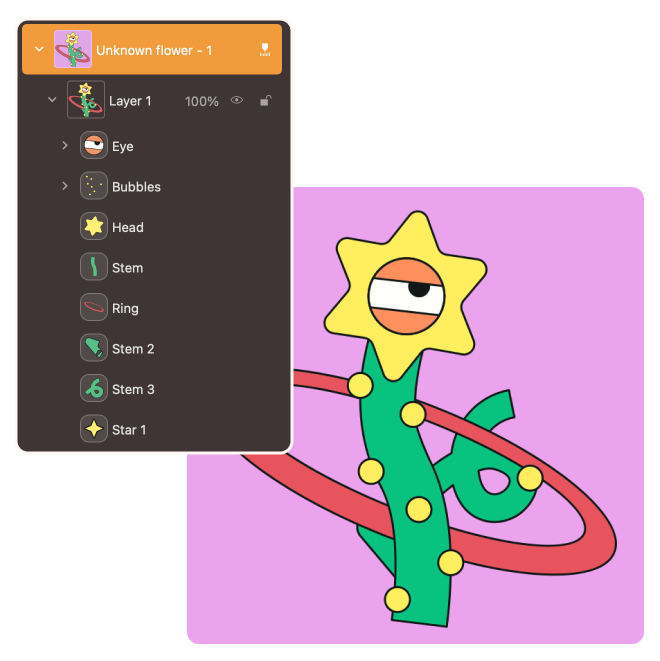
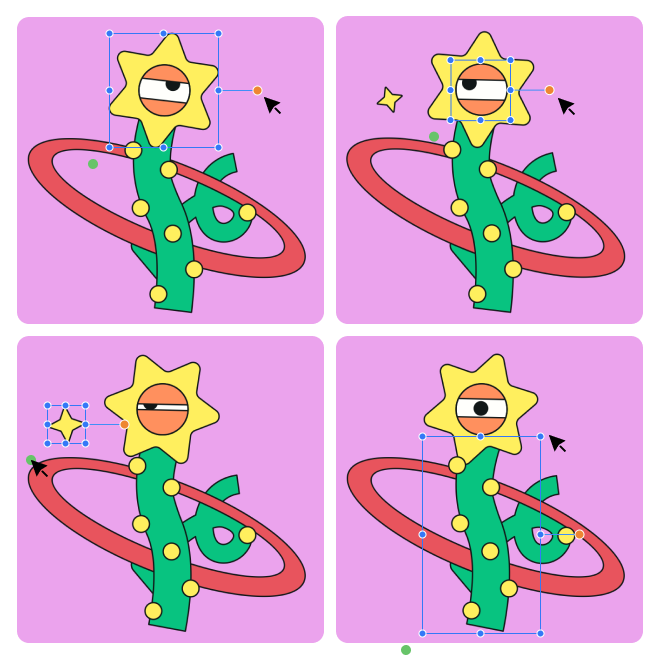
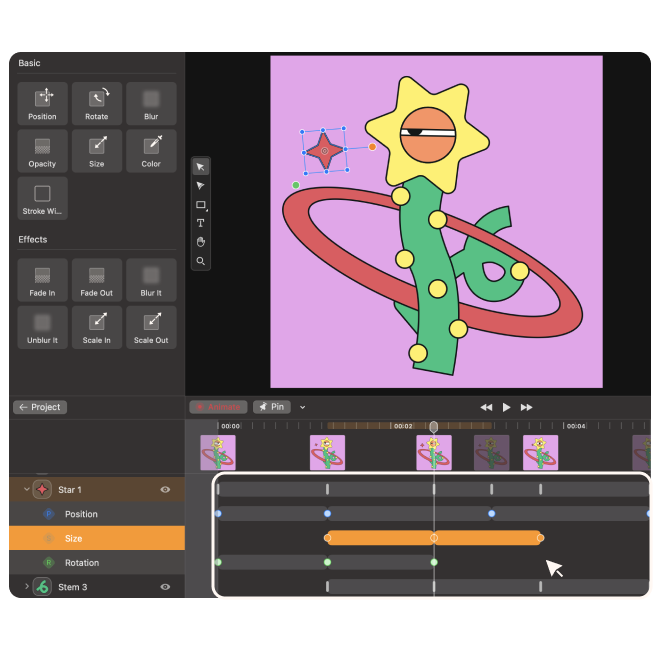
Any vector graphics can seamlessly come to life in Linearity Move. But before you bring in your chosen illustration, take a second to tidy up those layers. Keep things organized, and make sure all the elements you want to animate are on separate layers. This little step will make your animation journey a whole lot smoother. Next, open Linearity Move and simply import your design file. Everything will appear in the timeline in the same order.
Ready to bring your illustrations to life?
Don't miss the opportunity to experience the magic of Linearity Move.


Frequently asked questions
Creating animated graphics that stand out involves several key principles. Begin by selecting the type of animation that best fits your content, whether character animations, motion graphic videos, or custom animations. Incorporate eye-catching and visually appealing design elements into your animations. Consider adding cinematic effects and graphic design elements to enhance the viewer's experience and make your animated motion graphics more immersive. Sound effects (sound design) can also play a crucial role in making your animated graphics memorable and engaging. Additionally, optimize your animations to display well on mobile devices, as many people access social posts on their smartphones. Adhering to these principles ensures that your stunning visuals effectively capture and retain your audience's attention.
Use our 10 best-in-class motion graphic examples as a helpful guide→
Utilizing animated graphics in your marketing and communication efforts offers several valuable advantages. Stunning animations increase engagement significantly, as they are more attention-grabbing and compelling than static infographics or plain text. They excel in conveying complex messages and stories, making them an effective storytelling tool. Animated graphics are versatile and can be seamlessly integrated into various marketing strategies, from social media posts to explainer videos, enhancing the overall visual appeal. Furthermore, they contribute to memorability, as viewers are likelier to remember and resonate with visual content.
Whether you want to make a complex or simple animation, Linearity Move is a great choice for vector illustrators looking to bring their work to life. You can import any svg file and start animating it right away by simply moving elements on the canvas. Each adjustment automatically creates a keyframe in your timeline, allowing you to preview your animation project instantly.
You could create your first quick animation within minutes using Linearity Move's Auto Animate feature. This intuitive tool seamlessly interrupts object movements across artboards and creates fluid transitions every time. You can also use presets to instantly add complex movements to elements on your canvas.
If you prefer a hands-on approach and have a bit more time, delve into manual animation creation by directly adjusting the position and scale of objects on your canvas. Each change creates a keyframe in your timeline.
You can import or copy and paste .mov, MP4, .curve, .figma, or .ai files.
Animated graphics find applications in a wide range of contexts and platforms. You can use them in video marketing content on platforms like Facebook, Instagram, and Twitter to boost engagement and make your video marketing materials more visually appealing. Explainer videos benefit from animated graphics, as they simplify complex concepts or products and make information more accessible.
When designing your broader marketing strategy, animated graphics can be seamlessly integrated to create compelling visual stories that resonate with your audience. Additionally, consider incorporating animated graphics into your video content, such as live-action videos, to enhance the overall visual experience. You can also transform static infographics into animated infographics to make data more engaging and informative for your audience. Animated graphics are a versatile and valuable tool for enhancing your marketing efforts and captivating your target audience.
:quality(75))