Use Linearity with LAMY styluses
Design and animate on iPad with the LAMY Safari note+.



Experience precision and versatility
Linearity Curve works seamlessly with the LAMY safari note+, combining the precision of analogue drawing with the versatility of digital technology.
Create complex illustrations with smooth vector brush strokes, paths, and Bézier curves, or transform photos in a tap using AI Backgrounds, Auto Trace, and Background Removal.
Get started today on Mac, iPad, and iPhone.

Create motion with your stylus
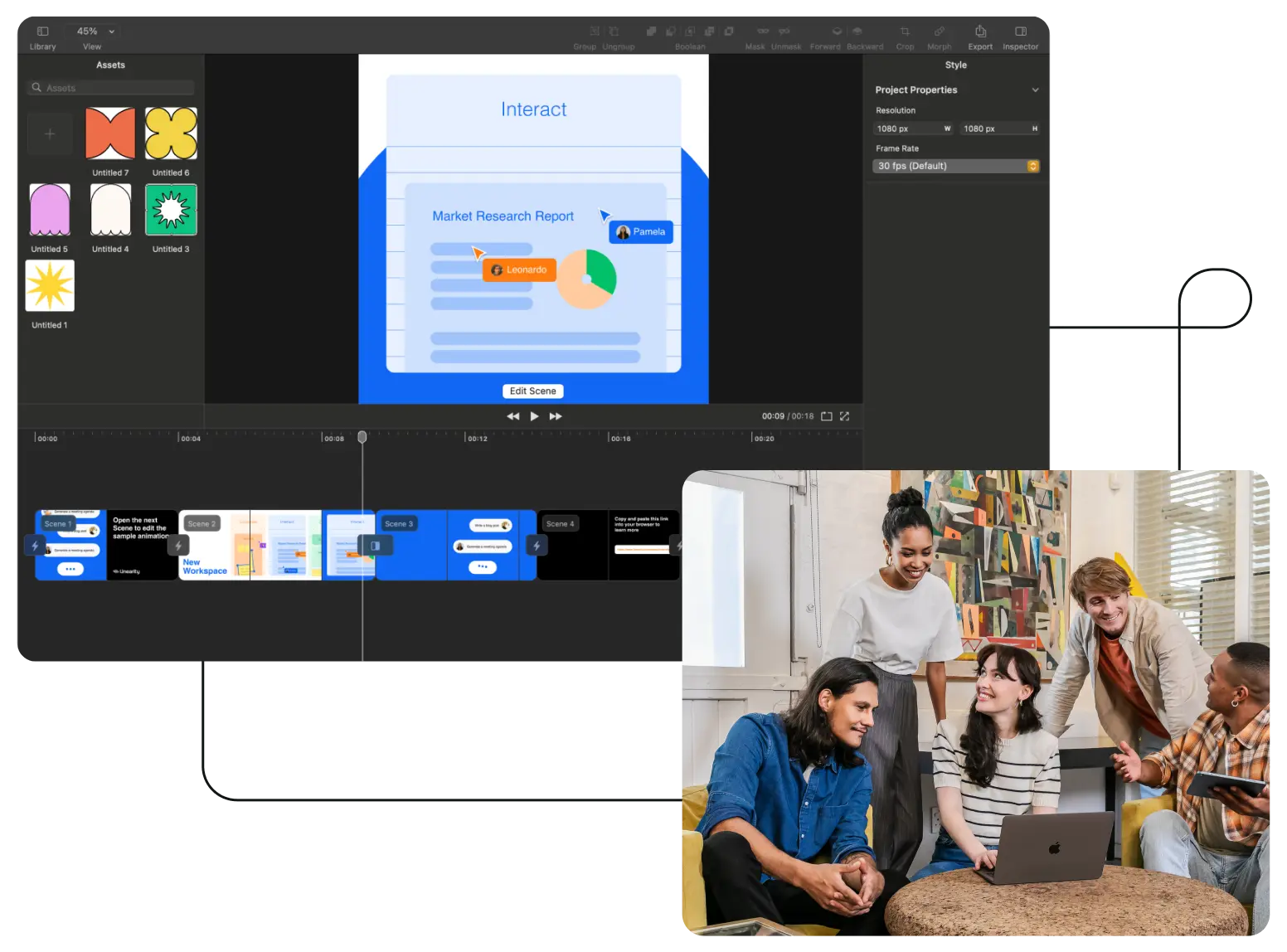
Animation doesn’t need to be complicated. With Linearity Move, anyone can create engaging motion graphics in a few taps of your stylus.
Use the LAMY safari note+ to apply powerful animation effects, bring static graphics to life instantly with Auto Animate, and make design tweaks on the fly by switching between Animate and Design modes. This seamless integration empowers you to create dynamic, professional animations effortlessly.
Get started today on iPad & Mac.

Discover more integrations
Figma Plugin: Seamlessly export, refine, and add motion to your Figma projects with our simple plugin.
In-app design library: Access over 1 million royalty-free, high resolution images, as well as 80k icons and Apple SF Symbols to use in your designs.
More stylus and tablet compatibility: Linearity Curve offers the flexibility to use an Apple Pencil or third-party styluses like the Wacom Bamboo Stylus, as well as drawing tablets such as the Wacom Bamboo Slate.

As a team we use it as an alternative to Adobe Illustrator. We appreciate how it enables us to create content quickly and easily.

Mehmet Akif Kaya
Founder of Mikroterra
We previously spent a lot of money on freelancers, with Linearity we’ve ramped up our designs and saved so much on cost.

Daria
Co-founder at Salesroom
Linearity Curve is my go-to design tool. It has an intuitive UI that caters to users of all levels. Curve’s features open up a whole new world of possibilities.

Wade Warren
VP of Marketing at Disney
Endless creative possibilites

Instagram reels

Digital ads

Announcements
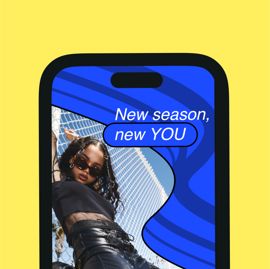
Tiktok videos

YouTube shorts

Animations

Social Media

Illustrations

Logo

Billboards
Features | Figma | |
|---|---|---|
Cloud storage | ||
Brush Tool | ||
AI Backgrounds | ||
Auto Trace | ||
Auto Animate | ||
Canvas animation | ||
Animation timeline | ||
Animation templates | ||
Transparent backgrounds | ||
Gif export | ||
Free design templates |
Explore new formats with our templates
Explore how Linearity can elevate your brand’s content to the next level.















Level up your skills
There’s always a new trend in content creation. With our tutorials, your team will always be up to speed.




Grow your team’s creative output
Content creation should be fun. We’ve made it possible for every team and every level.

Startups

Marketing Teams

Creative Teams

Creative Agencies

Tech Companies
Design freely with other tools
Stick to the tools you love. Linearity is compatible with Figma, Illustrator, and any other vector design format.

Frequently-asked questions
Yes, Linearity is designed with a user-friendly interface that makes it accessible for beginners to create both static and animated content in just a couple of clicks.
Linearity enables you to create a wide range of content, including social media posts, digital ads, motion graphics, and simple explainer videos, all with ease and efficiency.
Absolutely. Linearity offers over 3,000 customizable templates for various types of content, helping you get started quickly and inspire your next project.
Use Linearity's vast template library, Auto Animate, and other AI-powered tools to create engaging and visually appealing social media content that stands out.
While Linearity focuses on the visual aspects of content, its clean design and ability to incorporate text elements can support SEO strategies, especially when used with the SEO best practices in mind.
Linearity supercharges content creation with an extensive library of templates for social media, marketing materials, and more, streamlining the design process. Real-time collaboration (coming soon), device flexibility (both iPad and Mac), and easy sharing options make producing high-quality content effortless.
Linearity is packed with time-saving features like an instant Background Remover and Auto Animate, allowing for quick customization across various formats. You can also create your own brand library to ensure consistency and keep your logos, fonts, and colors together for easy access.
Absolutely. Linearity's platform will soon facilitate seamless team collaboration with features that allow for real-time editing, easy feedback, and centralized content management, ensuring everyone stays aligned throughout the content creation process.
Linearity simplifies creating content for multiple platforms with its versatile design tools and features. Whether you're targeting social media, websites, or print, Linearity provides the flexibility to quickly adjust designs to fit any format, ensuring your content looks great and performs well across all channels.
Consistency is king, especially in content marketing. Creating a brand library within Linearity ensures every piece of content—whether a social media post or marketing flyer—remains consistent with your brand’s visual identity.
A Pen Tool is a graphic tool that allows you to create precise paths with mathematical points.
In Linearity Curve (formerly Vectornator), you can draw straight lines by plotting points or curved segments by tapping and holding to bend the line you just made. You can then create a closed path by joining the first and last anchor points.
Learn more Pen Tool tips and tricks in our User Guide.
:quality(75))