

What is the best alternative to Inkscape?
Learn why creatives are switching to Linearity Curve (formerly Vectornator).

Why choose Linearity Curve over Inkscape?
While Inkscape is a popular open-source vector graphics editing platform, many designers are now searching for an Inkscape alternative that better fits modern workflows. Inkscape’s tools and user experience can fall short when it comes to creating more complex designs.
In contrast, Linearity Curve offers a level of precision and creative freedom that is unmatched by many other vector design programs, making it an ideal choice for designers seeking a more versatile and capable solution.
Turn any image into a scalable vector drawing format (SVG) with Auto Trace.
Linearity Curve works on Mac, iPad, and iPhone, allowing you to get creative anytime, anywhere, even without an internet connection.
Features | Inkscape | |
|---|---|---|
Lightning Fast | ||
Great on iPad | ||
Beginner Friendly | ||
Updates Every Week | ||
Pro Grade Tools | ||
Print-ready & CMYK | ||
Pen Tool | ||
Background removal | ||
Figma & Sketch import | ||
Built in Animation | ||
3m+ royalty-free images and icons | ||
Team collaboration |
Design Intuitively
Stay in flow with Quick Actions and gesture-friendly controls.
Design with Precision
Turn images into vectors with Auto Trace. Remove backgrounds and perfect every node.
Design anywhere
Work on Mac, iPad, and iPhone. Get creative anytime, anywhere.
A sleek, intuitive interface

Design anywhere & on the go

Who Inkscape is right for

Linearity Curve features at a glance
Made for Illustrators, Designers and Marketers
Auto Trace
Instantly turn your raster images into vectors
Magic Eraser
Simplify image editing by quickly removing unwanted elements and seamlessly fill the erased area.
Background Removal
Remove photo backgrounds with the tap of a button.
Pen Tool
Define precise vector points and create custom paths with Bèzier curves.
Brush Tool
Freely draw editable vector paths.
Shape Builder
Quickly sculpt complex designs from multiple shapes
Feel at home in the Apple ecosystem
If you're already accustomed to using Apple products, you'll love how Linearity Curve feels.
The interface? Sleek and powerful.
The experience? Inspired and alive.
It’s a true Inkscape alternative designed for Apple users.

Endless third-party importing options
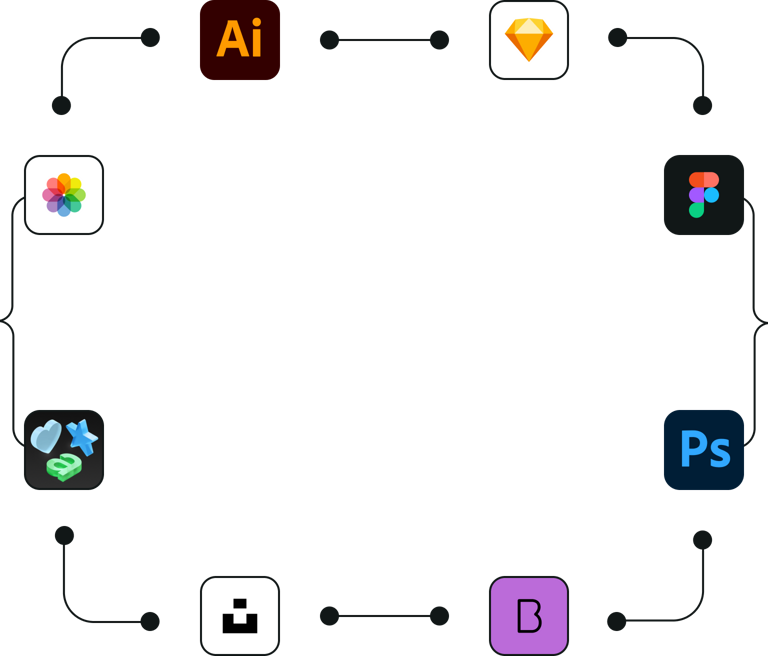
Inkscape has limited support for third-party file formats — Figma and Sketch files aren't supported, and while it can open some .ai files, compatibility is inconsistent. Linearity Curve supports Figma, Illustrator, and Sketch imports reliably.




Integrated Library
Isolate Active Layer
Background Removal
Over 80k free integrated libraries
Inkscape doesn't have an integrated library of vector content. In Linearity Curve, you can access royalty-free icons, Apple SF Symbols, and royalty-free images via the built-in Unsplash integration, all without leaving the app. Inkscape has no integrated asset library.
Frequently Asked Questions
There are other free alternative options for graphic design software out there. If you want a web app that can help you with page layout, try Canva. You could also try Affinity Designer, Gravit Designer, or Vectr.
If you're looking for a platform with vector editing tools that allow you to draw freehand vector shapes and edit them with powerful Boolean operations, try Linearity Curve (formerly Vectornator). It's the best free alternative to Inkscape.
Removing the background of an image in Inkscape can be done using various methods, depending on the type of image and desired outcome. Here are two common ways to remove the background from an image:
Method 1: Using the Draw Bezier Curves and Straight Lines tool
- Import your image: Launch Inkscape and import your image by going to File > Import or dragging and dropping the image file into the Inkscape workspace.
- Lock the image layer: Open the Layers dialog by going to Layer > Layers (or press Shift + Ctrl + L). Create a new layer by clicking the '+' button, name it 'Vector' or something similar, and click 'Add'. Make sure the new layer is above the original layer. Click the lock icon next to the original layer to prevent accidental selection or modification.
- Trace the object: Select the 'Draw Bezier Curves and Straight Lines' tool (or press B). Carefully trace around the object you want to keep by clicking to create nodes. Close the path by clicking on the first node you created. You can adjust the nodes and handles for a more accurate outline.
- Create a mask: Select the traced path, then go to Path > Object to Path (or press Shift + Ctrl + C). This will convert the path into a vector object.
- Apply the mask: First, unlock the image layer in the Layers panel. Select both the image and the vector object you created (hold Shift to select multiple objects). Go to Object > Clip > Set. The background should now be removed, leaving only the object you traced.
Method 2: Using the Trace Bitmap tool (for simple images with a solid background color)
- Import your image: Follow the steps mentioned in Method 1.
- Select the image: Click on the image to select it.
- Trace the bitmap: Go to Path > Trace Bitmap (or press Shift + Alt + B) to open the 'Trace Bitmap' window.
- Configure the tracing settings: In the 'Trace Bitmap' window, choose the 'Colors' option under 'Multiple scans.' Set the 'Scans' value to a low number (e.g., 2 or 3) to capture the object and background colors. Check 'Remove background' and enable the 'Live Preview' to see the result.
- Trace: Click 'OK' to start the tracing process. Inkscape will create a vectorized version of your image on top of the original raster image.
- Remove the original raster image: Follow the steps mentioned in Method 1.
- Ungroup the vector objects: The traced image will consist of multiple objects (one for each color). Select the vector image and press Shift + Ctrl + G to ungroup the objects.
- Delete the background object: Click on the background object to select it and press the 'Delete' key on your keyboard to remove it.
- Save your work: Save the image as an Inkscape SVG or any other desired vector file format.
Keep in mind that the results of these methods may vary depending on the complexity and quality of the image. You might need to refine the vector paths or try different settings to achieve the desired outcome.
How to use Inkscape?
Inkscape is a powerful and versatile open-source vector graphics editor that can be used for creating and editing vector images, such as logos, illustrations, and diagrams. Here's a basic overview of how to use Inkscape:
- Familiarize yourself with the interface:
Inkscape's interface consists of several components:
- Menu bar: Contains various commands organized into menus (File, Edit, View, etc.).
- Toolbars: Provide quick access to commonly used tools and actions.
- Toolbox: Contains a selection of tools for creating and editing vector graphics.
- Canvas: The main workspace where you create and edit your artwork.
- Panels: Provide additional settings and options for the selected tool or object (e.g., Fill and Stroke, Layers, Align and Distribute).
- Use the drawing tools:
Inkscape offers a variety of drawing tools, such as the Rectangle, Ellipse, and Polygon tools, as well as the Pencil, Pen, and Bezier tools for creating custom shapes. Select a tool from the Toolbox and start drawing on the canvas. You can customize the fill, stroke, and other properties using the panels.
- Manipulate objects:
Use the Select tool (arrow icon) to select, move, scale, and rotate objects on the canvas. Click and drag the handles on the object's bounding box to transform it. To constrain the aspect ratio while scaling, hold the Ctrl key.
- Organize your artwork with layers:
You can create and manage layers using the Layers panel (Layer > Layers or Shift + Ctrl + L). Layers help you organize and edit different parts of your artwork without affecting other elements.
- Use guides and snapping for precision:
Drag guides from the rulers to help you align objects on the canvas. Enable snapping (the magnet icon in the top toolbar) to make objects snap to guides, grids, or other objects while moving or transforming them.
- Combine and modify paths:
Use the Path menu to perform operations on paths, such as Union, Difference, Intersection, and Division. These options allow you to combine or modify paths to create more complex shapes.
- Save and export your work:
Save your work as an Inkscape SVG file (File > Save) to retain all Inkscape-specific information and editing capabilities. To export your work for use in other applications, go to File > Export PNG Image, or choose another format like PDF or EPS.
Inkscape is an open-source vector graphics editor that can be used to convert raster images (such as JPEGs or PNGs) into vector images. Here's a step-by-step guide on how to vectorize an image using Inkscape:
- Open the image in Inkscape:
Launch Inkscape, and open the raster image you want to vectorize by going to File > Open, then locate and select the image file. Alternatively, you can simply drag and drop the image file into the Inkscape workspace.
- Trace the bitmap:
Once your image is open in Inkscape, click on the image to select it. Then, go to Path > Trace Bitmap (or press Shift + Alt + B) to open the 'Trace Bitmap' window.
- Configure the tracing settings:
In the 'Trace Bitmap' window, you'll find different tracing methods and settings:
- Single scan: Creates a single path from the image. You can choose from Brightness Cutoff, Edge Detection, Color Quantization, or Autotrace.
- Multiple scans: Creates multiple paths based on color or brightness. You can choose from Grays, Colors, or Brightness Steps.
For most cases, you can start by using the 'Brightness Steps' or 'Colors' options under multiple scans. Adjust the 'Scans' value to control the number of colors or shades used in the vector image. If you want a simple, black-and-white vector, you can use 'Brightness Cutoff' under a single scan.
- Preview and trace:
Check the 'Live Preview' box to see how your settings affect the vectorization. Adjust the settings as needed, then click 'OK' to start the tracing process. Inkscape will create a vectorized version of your image on top of the original raster image.
- Remove the original raster image:
Click on the vectorized image to select it, then drag it away from the original raster image. Now you can click on the raster image to select it, and press the 'Delete' key on your keyboard to remove it.
- Edit the vector image:
Now you can use Inkscape's various tools to edit, manipulate, and refine the vectorized image as needed. If you want to modify individual parts of the image, you can ungroup the objects by selecting the image and then pressing Shift + Ctrl + G.
- Save your vector image:
When you're satisfied with your vectorized image, save it as an Inkscape SVG file by going to File > Save As, and choose 'Inkscape SVG' as the file format. If you need to use your vector image in other applications, you can also save it as a standard SVG, PDF, or other vector file formats supported by Inkscape.
There are several alternative vector graphics software available for macOS that can serve as alternatives to Inkscape. Some popular options include:
- Linearity Curve
Linearity Curve (formerly Vectornator) is an advanced yet user-friendly graphics design software available for both macOS and iOS platforms. Providing a comprehensive set of tools this design platform accommodates a variety of file formats, such as SVG, PDF, and AI, for both import and export purposes.
- Sketch
Sketch is a popular vector graphics editor for macOS, primarily used for UI/UX design but also suitable for general vector graphics work. It offers an intuitive interface and an extensive set of tools for creating and editing vector artwork. Sketch requires a yearly subscription fee, but it comes with a free trial period.
- Gravit Designer
Gravit Designer is a versatile vector graphics editor available on multiple platforms, including macOS. It offers a clean interface and a wide range of tools for creating and editing vector artwork. Gravit Designer has both free and pro versions, with the pro version offering additional features and resources.
Whatever operating system you're using, there's always an option for you. If you're on Mac and looking to work with vector graphics, Linearity Curve (formerly Vectornator) is a perfect choice. Besides Mac, you can also work on your projects on iPad and iOS.
If you're on Microsoft Windows or Linux (sorry, Android) and looking to work with raster images, gradients, CMYK colors, and photo editing, Gimp can be a good choice. Since it's open-source, Gimp also has a vast library of plugins that allow it to be customized to your liking. Unfortunately, it doesn't work with vector graphics.
:quality(75))