SVG vs. PNG: What’s the difference?

In 2026, SVG is the standard for web and scalable digital graphics, PNG is best for static pixel-based images with transparency, EPS is used for print compatibility and legacy workflows, and AI is Adobe Illustrator's native editable vector format. This guide covers all four formats when to use each, how they compare, and how to create and export them in Linearity Curve.
SVG vs. PNG: What’s the difference?
SVG is best for web and scalable digital graphics, PNG is best for static pixel-based images with transparency. EPS is mainly used for print compatibility and AI is Adobe Illustrator’s native editable vector format.
Vector Design: a complete guide to tools, formats and workflows
If you want a broader understanding of how these formats fit into modern workflows, explore our full vector design guide.
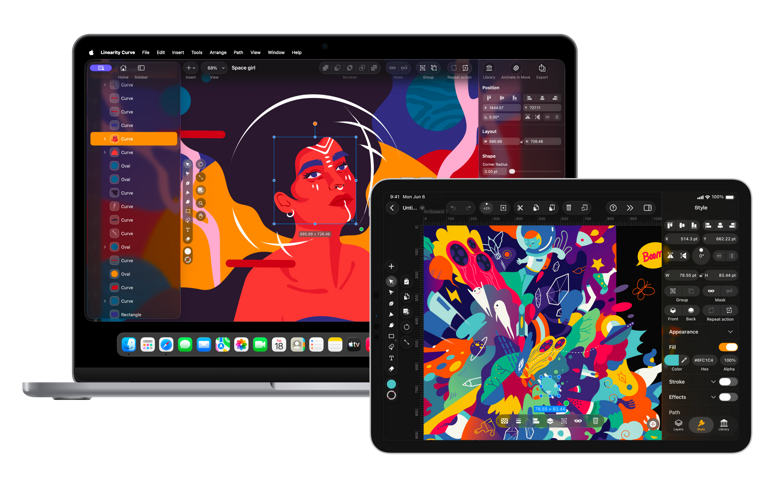
If you’ve ever worked on a web or digital design project, you’ve probably had to choose between SVG vs. PNG.
These two popular image file types serve different purposes, and understanding what sets them apart can help you make the best choice for your needs. Whether it’s scalability, detail, or performance, both formats have their strengths — and knowing when to use each can make a big difference.
But in real design workflows, SVG and PNG aren’t the only formats that matter. Designers also work with EPS and AI files, especially when projects move between digital design, print production, and editable source files.
In this article, we’ll break down the differences between SVG and PNG, exploring when to use one over the other. We’ll also look at where EPS and AI fit in, so you can choose the right format for your next project with a little more confidence. Let’s clear up the confusion and help you choose the right format for your next project.
Jumpstart your ideas with Linearity Curve
Take your designs to the next level.
For a complete overview of how SVG, PNG, AI, and other vector formats fit into professional design workflows, the vector design guide covers file formats, tools, and production-ready technique in depth.
What’s an SVG?

Image Source: Free SVG
SVG stands for Scalable Vector Graphics. It’s a file format designed for creating two-dimensional vector graphics that can scale infinitely without losing quality. SVGs are especially useful for the web because they’re lightweight, load quickly, and adapt seamlessly to responsive designs. This is why they’re commonly used for logos, icons, illustrations, and other simple images.
What makes SVGs different?
- File size efficiency: SVGs aren’t made of pixels but instead use XML to define shapes, lines, and colors mathematically. This makes them lightweight for simple graphics like logos and icons. Unlike raster formats like PNG or JPEG, SVG files can also be optimized further by removing unnecessary data, ensuring faster load times and better performance for web projects.
- Built with code: SVGs are written in XML, meaning they’re text-based and act as a set of instructions your browser or device uses to render the image in real-time.
- Versatility: SVGs aren’t just scalable — they’re dynamic. They integrate seamlessly with CSS and JavaScript, allowing designers to animate or style them directly. Whether it’s changing colors or animating paths, SVGs open up creative possibilities that go beyond static images.
SVG is the most widely used vector file format. It supports features like animation and transparency. However, PNG remains more common because they’re universally supported by social media platforms, image editing tools, and web browsers. Additionally, creating SVGs can sometimes feel out of reach, especially if you don’t have access to the right tools or experience with specialized software.
That’s why Linearity built Auto Trace — to make creating SVGs easier. It lets you convert raster images, like PNG to SVG, in just a few clicks. With modes like Sketch, Illustration, Photo, and Basic Shapes, it adapts to different image types for the best results. The best part? It works directly within your design process, allowing you to refine and edit the vector paths using Bezier curves for precision.
What is a PNG?

Image Source: Top PNG
PNG stands for Portable Network Graphics. It’s a raster image format that was developed in the mid-1990s as an open-source alternative to GIF. The goal was to create a format that offered better image quality, supported transparency, and wasn’t restricted by patents. Since then, PNGs have been a staple for designers.
What makes PNGs special?
- Lossless compression: First, they use lossless compression, which is just another way of saying they keep all their original quality intact, even after editing or saving multiple times. This makes PNGs perfect for visuals that need to maintain detail and precision, like logos, icons, or text-based graphics.
- Transparency: You can have completely transparent or semi-transparent backgrounds, which is why you’ll see them used a lot for overlays or web graphics. If you’ve ever placed a logo on top of a photo or a colored background, there’s a good chance it was a PNG.
But like every format, PNGs have their limits. They’re amazing for detailed, high-contrast visuals, but when it comes to photos or images with lots of color gradients, their file sizes can get pretty large. That’s where formats like JPEG might work better — they’re smaller and more efficient for complex images.
What is an EPS?
EPS stands for Encapsulated PostScript. It’s an older vector-based format that has long been used for print workflows, especially when files need to move between design software, printers and production teams.
Unlike SVG, which is mainly tied to web and digital use, EPS is more about compatibility in traditional print environments. Designers often use EPS for logos, illustrations and brand assets that may need to be opened in different software or sent to outside vendors.
EPS can store vector data and, in some cases, raster elements too.
What is an AI file?
AI is Adobe Illustrator’s native file format. If you’re designing in Illustrator, this is usually the main working file.
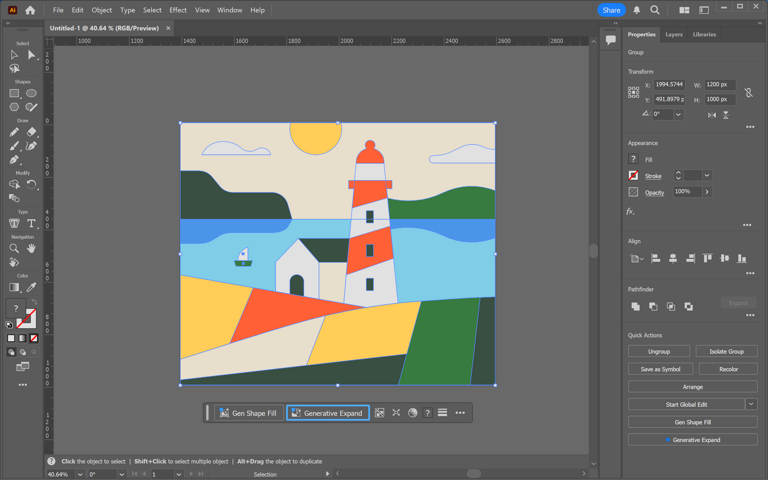
Unlike SVG, which is often exported for use on the web or PNG, which is exported as a final raster image, AI is usually the editable source file.
SVG vs. PNG: Side-by-side comparison
SVG vs PNG vs EPS vs AI: Side-by-side comparison
| Formatn | Typen | Best forn | Editablen | Scales without quality lossn | Best contextn |
|---|---|---|---|---|---|
| SVGn | Vectorn | Web graphics, icons, logos, UIn | Yesn | Yes | Digital and webn |
| PNG | Raster | Static images, transparency, screenshotsn | Non | No | Web, social, general usen |
| EPSn | Vectorn | Print workflows and file compatibilityn | Yes, in supporting softwaren | Yes | Print and productionn |
| AIn | Vectorn | Source files and full Illustrator editingn | Yesn | Yes | Design and editing workflown |
A simple way to think about it: SVG is for the web, PNG is for pixel-based output, EPS is for print compatibility and AI is for working files.
When to use SVG
SVGs are not designed for social media platforms where raster formats like PNG or JPEG are the standard. Instead, SVG shines in web design — particularly for responsive websites where graphics need to scale perfectly without losing quality.
Use SVG when:
- You’re exporting icons, illustrations, or logos that need to look clear on any screen size.
- You need transparent graphics or lightweight animations that can be easily modified.
- The image will be edited frequently — SVGs are simple to adjust because they’re vector-based.
Where SVG works best:
- Logos and icons.
- Decorative website graphics.
- Graphs, diagrams, and other simple graphics.
Ready to learn something new?
Check out our list of great design courses online.
That said, SVG isn’t suited for complex images like photographs or detailed artwork with lots of colors and gradients. They involve far too much data to efficiently convert into vector form, which can impact page load speeds.
When to use PNG
PNG files are a versatile image format for high-quality, static images where detail and transparency matter.
Use PNG when:
- You need images with transparency. PNG supports full alpha channel transparency, which makes it perfect for images with clear or semi-transparent backgrounds, like overlays or logos.
- You’re working with high-detail graphics. PNG’s lossless compression ensures image quality is preserved, making it ideal for detailed visuals like icons, charts, or graphics with text. This is why many operating systems save screenshots as PNGs — text and fine lines remain intact.
- You need platform compatibility. Unlike vector files, PNG files are universally supported across social media, email templates, and older browsers.
For social media visuals, PNG is a great choice. Check out these templates to create engaging posts effortlessly.


Where PNG works best:
- Logos and images with transparent backgrounds.
- Detailed graphics, such as icons and text-based visuals.
- Complex visuals with gradients and solid color areas.
When to use EPS
Use EPS when:
- You need to send vector artwork to a printer, sign shop, or external production partner.
- You need a file format that works across older design and print systems.
- You’re preparing logos or illustrations for traditional print workflows.
Where EPS works best:
- Print production
- Large-format signage
- Vendor handoff files
- Legacy workflows where SVG or AI may not be preferred
- EPS is less useful for modern web design, but it still matters when compatibility is the priority.
When to use AI
Use AI when:
- You’re still designing and need a fully editable master file.
- You want to preserve layers, effects, paths, and Illustrator-specific features.
- You’re collaborating with other Illustrator users.
Where AI works best:
- Editable source files
- Brand systems in development
- Illustration and design revisions
- Projects that may need future updates
AI is usually the file you keep while working, then export into SVG, PNG, PDF or EPS depending on where the design needs to go next.
How to create an SVG file
Creating an SVG file starts with using vector design software. Unlike raster formats like PNG or JPEG, vector art is built from paths, nodes, and shapes that can scale infinitely while keeping their quality.
Steps to Create an SVG:
- Choose vector design software: For instance, the Linearity Curve platform empowers you to create, collaborate, and refine vector designs effortlessly — whether you're an experienced designer or just getting started.
- Design your graphic: Use shapes, lines, and curves to create your artwork. Linearity offers a variety of tools to add colors, gradients, and transparency.
- Convert existing images with Auto Trace: If you have a raster image (like a JPEG or PNG) that you'd like to convert into a vector, our Auto Trace feature analyzes your image and transforms it into editable vector paths.
- Save or export as SVG: Once your design is complete, export it in SVG format. This ensures your file remains lightweight, scalable, and optimized for both web and print use.
Ready to create brand assets that pack a punch?
Visit our Academy for free marketing design courses.
Create SVG or PNG files with Linearity Curve
Both SVG and PNG are valuable tools in a designer’s toolkit, and the right choice comes down to your project’s needs. Use SVG for scalable, responsive graphics like logos, icons, and web illustrations. Stick with PNG for detailed visuals, transparent backgrounds, or when universal platform compatibility is essential.
If you’re creating vector designs, we’re here to make the process effortless and enjoyable. Whether you’re starting from scratch or converting existing images, creating and exporting SVG files has never been easier.
No matter what format you choose, understanding their strengths ensures your designs always look their best. And using the right software, like Linearity Curve, makes the process seamless. Download it for free and start creating today!
Jumpstart your ideas with Linearity Curve
Take your designs to the next level.
:quality(75))
:quality(75))
:quality(75))

App of the Day
6.1K ratings
Get Started for free

Design in Curve.
Create sharp, scalable designs with intuitive tools for logos, illustrations, and professional branding.

Animate in Move.
Effortlessly create animations for social media, online ads, and motion graphics.
Trusted and used by leading brands


