The best AI design tools for real creative work
A practical comparison of AI tools for generating images, creating editable designs, building interfaces, making video, and keeping campaign work on brand.

The best AI design tools: the short answer
AI design tools now solve several different jobs. They generate raster images, produce editable vector artwork, lay out marketing content, prototype interfaces, create video, and translate ideas into code. The best tool is the one whose output matches what you need to edit, approve, and publish.
This guide compares 12 options by output, creative control, brand consistency, and place in a real workflow. For a grounding in raster and vector generation, read our practical AI design guide.
Choose an AI design tool by the output you need
Start with the file or experience required at the end. A beautiful generated image is useful for visual exploration, but it is a poor handoff when a designer must adjust individual shapes, replace typography, or adapt the idea to ten formats.
- Editable campaign artwork: Linearity
- Template-led marketing content: Canva
- Visual concepts, messaging, and code: Claude or ChatGPT
- High-detail image concepts: Midjourney or Adobe Firefly
- Product interface exploration: Figma AI or Uizard
- Generated motion: Runway
- Published marketing websites: Framer AI
What happens after the first prompt
A generated result can feel finished before it is ready for real work. The practical questions arrive when the headline changes, the campaign needs six more sizes, or a brand manager asks for the exact approved color. That is where tools begin to feel very different from one another.
As you read the list, follow the output. Check whether text, images, shapes, and layouts remain editable; whether brand rules travel into every version; and whether an approved direction can become the formats your team actually publishes.
AI design tools compared at a glance
Prices below are public USD prices checked in September 2026. Taxes, regional pricing, annual billing, AI credit allowances, and team terms can change the final cost.
| Tool | Best use | AI strength | Main limitation | Price in USD |
|---|---|---|---|---|
| Canva AI | Fast marketing content | Templates, generation, resize, and translation | Limited structural vector control | Free; Pro $180/year |
| Adobe Firefly | Adobe image workflows | Generative Fill and Creative Cloud integration | Credits and access vary by plan | Limited free use; paid from $9.99/month |
| Midjourney | Image concepts and art direction | Expressive raster generation | Flattened output needs another production tool | From $10/month |
| Linearity AI | Editable branded campaigns | Native vectors, images, brand rules, resize, and translate | Image Mode and Vector Asset Mode serve different jobs | Free; paid plans from $8/editor/month billed annually |
| Figma AI | Product and interface design | AI inside collaborative UI files | Less suited to multi-channel campaign production | Free; paid seats available |
| Claude Design | Briefs, copy, and code-based design | Reasoning and conversational iteration | Different controls from a vector design canvas | Free; Pro from $20/month |
| ChatGPT | Ideation, copy, and images | Multimodal conversation and revision | Limited direct control over visual structure | Free; Plus $20/month |
| Runway | AI video and motion | Video generation and transformation | Continuity and final compositing need review | Free; paid plans from $12/user/month billed annually |
| Ideogram | Posters, graphics, and text-led images | AI image generation with strong typography tools | Most visual output remains raster artwork | Free; Plus from $15/month billed annually |
| Kittl | Type-led graphics | Fast posters, merchandise, and display graphics | Check fit with the wider brand workflow | Free; paid plans available |
| Framer AI | Marketing websites | Generate, edit, and publish responsive pages | Focused on websites rather than general assets | Free; paid site plans available |
| Uizard | Early UI concepts | Prompt and screenshot-to-interface workflows | Complex products need further system work | Free; Pro from $12/creator/month billed annually |
12 AI design tools for different creative jobs
1. Canva AI
Best for fast AI-assisted marketing content

Canva AI AI interface.
Canva AI gives non-designers and marketing teams a familiar route from a prompt to presentations, posts, images, and everyday campaign content. Magic Design, image generation, Magic Edit, Magic Resize, and Translate sit inside Canva’s larger template and publishing workflow. It is useful when a team values speed and broad format coverage more than deep vector construction.
What it gives you: Generated images and designs, editable template layouts, resized formats, translated versions, presentations, and social assets.
Watch for: AI access is allowance-based, and complex vector editing may still need a specialist design application.
2. Adobe Firefly
Best for AI imagery inside Adobe creative workflows

Adobe Firefly AI interface.
Adobe Firefly brings generative AI into familiar creative applications. Designers can create images, add or replace content with Generative Fill, extend compositions, and explore visual variations while continuing the work in Photoshop, Illustrator, Adobe Express, or other Creative Cloud tools.
What it gives you: Raster images, generated variations, effects, video, and image edits inside Adobe workflows.
Watch for: Generative credits and feature availability depend on the selected plan and application.
3. Midjourney
Best for expressive AI image concepts and art direction

Midjourney AI interface.
Midjourney is often used to explore mood, lighting, visual worlds, and image-led campaign directions. Its strength is rapid visual experimentation with detailed raster imagery. Typography, exact brand elements, layout, and channel adaptations generally move into a separate design stage.
What it gives you: Detailed raster images, style studies, and visual variations.
Watch for: The image is a flattened result, so teams need another workflow for structured editing and final layouts.
4. Linearity AI
Best for editable, on-brand campaign production

Linearity AI AI interface.
Linearity turns a prompt into on-brand campaign assets that remain editable. It can generate AI images and native vector assets, apply a team’s brand rules, resize a campaign for popular formats, and translate versions for different markets.
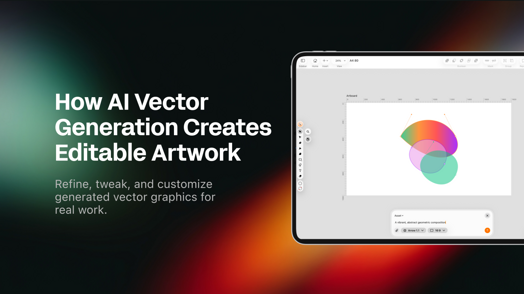
Designers can refine the result directly instead of repeatedly prompting: edit typography and layouts, adjust vector paths and nodes, or use Super Resolution, Auto Trace, Background Removal, Magic Eraser, and Magic Hand as the work moves toward production.
What it gives you: On-brand layouts, editable AI vector assets, AI images, translated variants, and resized multi-format campaigns.
Watch for: Choose Image Mode for photographic detail and Vector Asset Mode when structural editing and scaling matter most.
5. Figma AI
Best for interface design and collaborative product work

Figma AI AI interface.
Figma’s AI features sit inside a product-design environment built around shared interface files, components, prototypes, and developer handoff. It fits work where the final object is a digital product rather than marketing illustrations or print-ready campaign assets.
What it gives you: UI explorations, interface layouts, prototypes, and design systems.
Watch for: A strong UI workflow covers a narrower job than complete campaign production.
6. Claude Design
Best for AI briefs, copy, reasoning, and code-based design

Claude Design AI interface.
Claude Design is useful before and around the visual production process. It can clarify a brief, develop messaging, challenge a concept, and create code or document-based visual artifacts. Its conversational workflow works well for iteration, while finished campaign files usually move into a dedicated design tool.
What it gives you: Copy, creative concepts, documents, interface code, and conversational design revisions.
Watch for: Generated webpages and documents offer different editing controls from a vector campaign canvas.
7. ChatGPT
Best for conversational ideation and image iteration

ChatGPT AI interface.
ChatGPT can shape a brief, generate and revise images, write campaign copy, and reason through alternatives in one conversation. For production, decide where typography, exact geometry, reusable elements, and final formats will be controlled.
What it gives you: Briefs, copy, images, analysis, and iterative directions.
Watch for: Direct control over every visual element happens in a dedicated design canvas.
8. Runway
Best for AI-generated and AI-edited video

Runway AI interface.
Runway focuses on moving images. It is useful for generating clips, transforming footage, testing motion directions, and producing material for video-led concepts.
What it gives you: Generated or edited video clips and motion experiments.
Watch for: Continuity, precise art direction, and final compositing still need careful review.
9. Ideogram
Best for posters, graphics, and text inside AI images

Ideogram AI interface.
Ideogram focuses on AI image generation for posters, social graphics, logos, merchandise concepts, and other designs where readable text matters. Its Canvas supports generation, Magic Fill, image extension, and text editing, which makes it approachable for quick visual concepts with headlines or labels.
What it gives you: Raster images, posters, logo concepts, text-led graphics, and edited image compositions.
Watch for: Most of the visual result remains raster artwork, so detailed shape editing and scalable vector production require another design stage.
10. Kittl
Best for typography-led graphics and merchandise concepts

Kittl AI interface.
Kittl brings AI features into a template-oriented graphics workflow, with an emphasis on display type, badges, posters, and merchandise-style compositions.
What it gives you: Typography-led layouts, graphics, illustrations, and images.
Watch for: Test how comfortably the output moves into the rest of your brand system.
11. Framer AI
Best for generating and publishing marketing websites

Framer AI AI interface.
Framer applies AI to website creation rather than general graphic design. It helps turn a site idea into responsive pages that can be edited and published in the same environment.
What it gives you: Responsive web pages and published websites.
Watch for: A website builder solves a different problem from cross-channel asset production.
12. Uizard
Best for early UI concepts and accessible prototyping

Uizard AI interface.
Uizard helps get interface ideas into visible, testable form quickly. It can help non-specialists turn prompts, screenshots, or rough concepts into screen layouts.
What it gives you: Wireframes, screen designs, and interactive prototypes.
Watch for: Complex products usually need further design-system and interaction work.
A practical AI design workflow
Most teams work best with a short, deliberate tool chain in which every handoff preserves enough control for the next decision.
- Define the job. Write the audience, message, formats, deadline, and non-negotiable brand rules before prompting.
- Choose the right generator. Use image generation for photographic material, vector generation for structurally editable artwork, and specialist tools for video, UI, or code.
- Edit instead of endlessly regenerating. Correct composition, typography, color, paths, and hierarchy directly when the tool allows it.
- Adapt the approved direction. Resize and translate for channels and markets while preserving the intended layout and brand system.
- Review the final asset. Check accuracy, accessibility, licensing, brand compliance, and export settings before publishing.
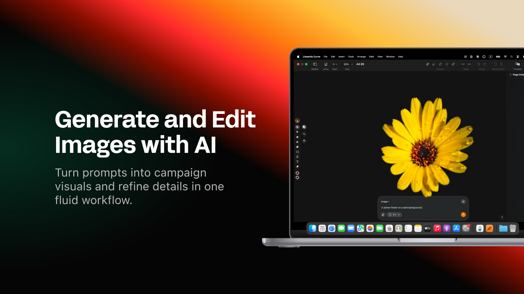
Linearity supports the middle and final stages of that process: generated raster images can be refined inside a composition, while generated vectors remain editable as shapes, paths, colors, and layers. Explore the complete process in the Linearity AI design guide.
Frequently asked questions
There is no universal winner. Linearity is a strong choice when generated work must remain editable and move into branded campaign production. Midjourney and Firefly suit raster exploration, Figma and Uizard suit interfaces, Runway suits video, and Framer suits websites.
Look beyond the first output. Check what remains editable, how brand rules are applied, whether the result adapts to required formats, what collaboration and review look like, and which usage rights apply.
They can accelerate exploration and repetitive production. Designers still own the communication goal, taste, judgment, accessibility review, and responsibility for the final result.
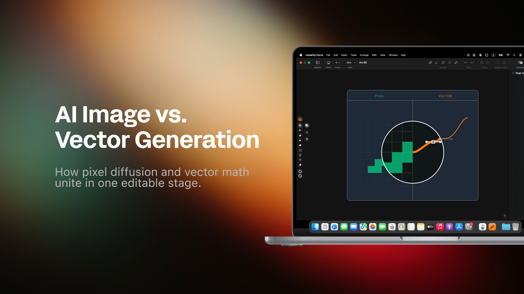
AI image generation produces pixels suited to photographic detail and texture. AI vector generation produces paths and shapes that can be scaled and structurally edited.
Yes. A team might develop copy in a conversational assistant, generate source imagery in a specialist model, and finish editable, branded assets in Linearity. Keep the chain short and make every handoff intentional.
About the blog author
Nadya Kunze runs Customer Support at Linearity and has more than seven years of experience helping customers in SaaS. Outside work, she enjoys drawing, hiking, and baking, and she writes about Linearity, graphic design, and creative technology.

App of the Day
6.1K ratings
Get Started for free

Design in Curve.
Create sharp, scalable designs with intuitive tools for logos, illustrations, and professional branding.

Animate in Move.
Effortlessly create animations for social media, online ads, and motion graphics.
Trusted and used by leading brands


