Generate in seconds with Linearity Curve 6.12 and Quiver AI.
AI starts it. You own every layer.
Prompt to vector. Every layer yours.
The blank page has always been the hardest part. Turning an idea into something on the canvas takes time and that first shape is always the hardest one to place.
That's done now and the technology making it possible is Arrow 1.1 by Quiver AI.
Type what you're imagining. Get a fully editable vector asset on your canvas. A real vector file, every shape on its own layer, every path editable, every element yours to work with from the first second.
You're still the designer. You always were. We just took the blank page away.
Meet Arrow 1.1
QuiverAI is a generative AI company specialising in vector and design-native models. Arrow 1.1 is their latest model, built specifically for generating editable vector artwork.
Most AI models generate pixels. Arrow 1.1 generates paths, shapes and layers. The output lands on your canvas as a real Linearity file, every element live and editable from the first second.
This is what makes the integration with Linearity Curve different from anything else in the space.
No more starting from scratch
AI generation with Quiver AI is now built directly into Linearity Curve.
Type your prompt. Describe what you need. Generate, see what comes back and edit from there.
Vector generation
Choose Vector Asset mode and generate a fully editable vector file. Every shape on its own layer, every path live, every element yours to work with from the first second.
Type your prompt.
Describe what you need.
"A minimal icon set for a weather app."
"A minimal hot air balloon illustration, clean shapes, pastel colours."
"A flat illustration of a coffee shop interior."
The more specific the description, the closer the first result lands, but don't overthink it. Generate, see what comes back and edit from there.
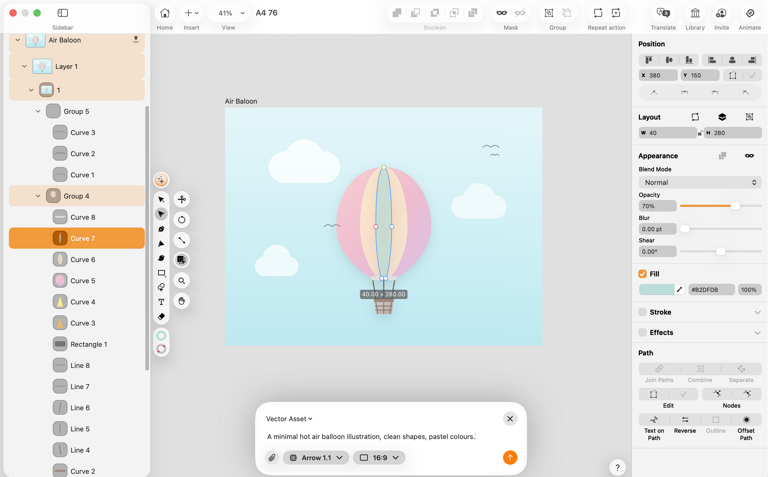
Prompt: "A minimal hot air balloon illustration, clean shapes, pastel colours."
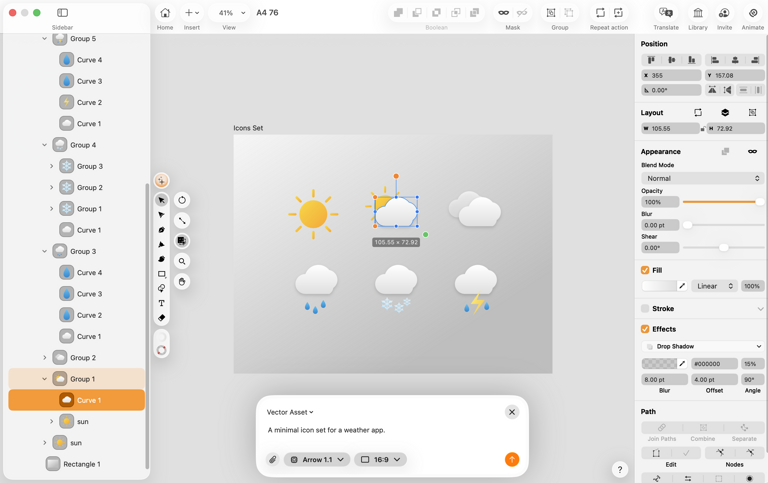
Prompt: "A minimal icon set for a weather app."
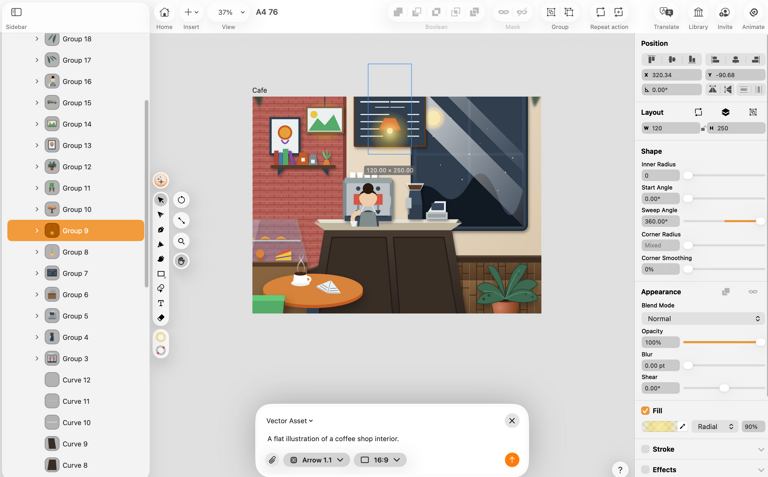
Prompt: "A flat illustration of a coffee shop interior."
Image generation
Choose Image mode and generate a raster image: photography-style output, textured backgrounds, detailed scenes, anything that's meant to stay flat.
Example prompts:
"A skincare product on a white marble surface, soft shadows, clean."
"A flat lay of stationery items, notebooks and pens, warm tones."
"A dark textured background with subtle grain, deep navy and charcoal tones
Generated images land directly on your canvas. Move them, resize them, mask them, layer vector elements on top. Use them as backgrounds, references or standalone visuals within the same file.

Prompt: "A skincare product on a white marble surface, soft shadows, clean."
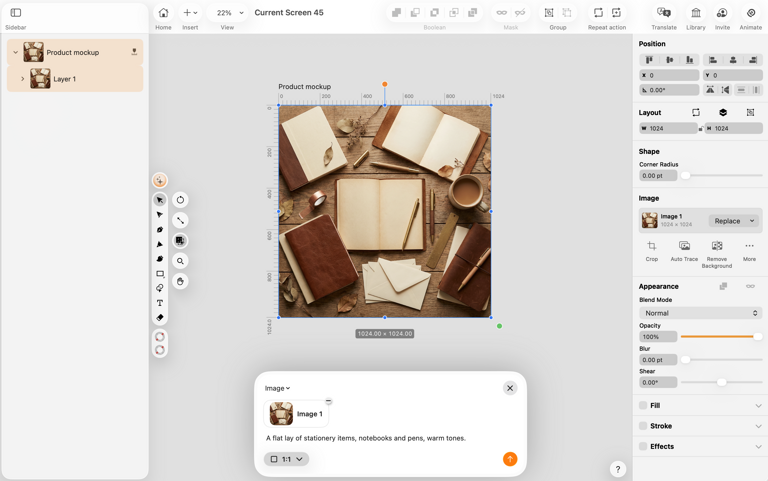
Prompt: "A flat lay of stationery items, notebooks and pens, warm tones."
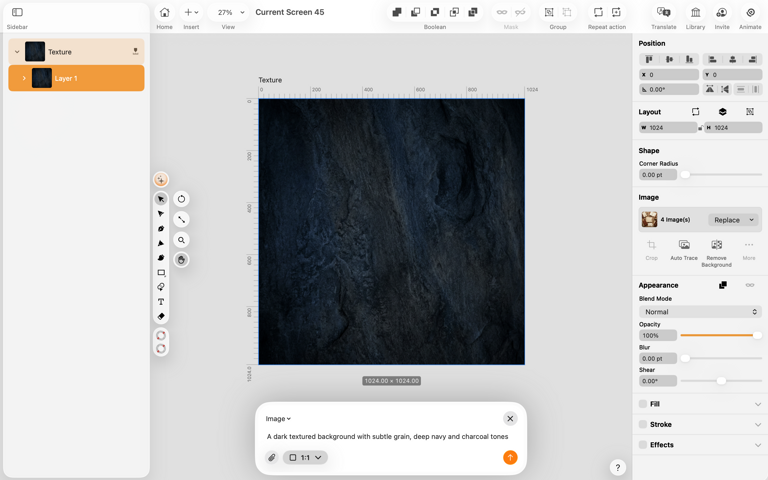
Prompt: "A dark textured background with subtle grain, deep navy and charcoal tones"
How it works
Choose your output type
 Vector Asset mode uses Arrow 1.1 to generate a fully editable vector result.
Image mode gives you a raster output for when you need a flat image.
 Choose your model
Arrow 1.1 by QuiverAI is the featured model — design-native, built for vector generation, produces clean results that are ready to work with immediately.
Linearity AI is also available and brings a different visual style. Worth trying both to find what works for your project.
Choose your aspect ratio
1:1, 4:3, or 16:9. The output lands on your canvas at the right proportions, ready to work with.
Generation queue
Queue multiple generations at once and keep designing while they run in the background. Each result lands when it's ready. Pick it up, keep going.
Edit everything
Whether you generated a vector asset or an image, everything that lands on your canvas is yours to work with.
For vector assets, every element is live. Click any shape to select it, drag nodes to reshape it, adjust curves, change fills and strokes, scale without losing quality. It behaves exactly like anything you'd draw from scratch in Curve.
For images, move, resize, crop, mask them with vector shapes, add text on top, combine them with generated vector elements. Use them as part of a larger composition or as a starting point you build from.
AI started it. You finish it. You're not iterating on prompts. You're designing.
Fixes & improvements
6.12 also includes a round of bug fixes and under-the-hood improvements.
Linearity fonts
New fonts are now available directly from the font selector. Download them in the app whenever you need them, without leaving your document.
Auto Trace preview
Auto Trace now shows a live preview before you commit. Try different settings and modes and see the result before applying it.
Text handling improvements
Text editing now respects alignment. The edit box expands in the right direction for left, centre and right-aligned text.
SVG import improvements
This release also includes more accurate SVG import, better fill and stroke handling on masked elements, and performance improvements across common editing workflows.
What's coming next
Vector and image generation is the first step.
The big one lands end of the month. Complete layouts, full marketing designs from a single prompt, on our own engine, built for exactly this job.
Sign up for the waitlist now and get 50 free credits when it drops.
If you want to stay close to what we're building, the Discord community is where we share things first.
The blank page is gone. AI starts it. You own every layer. This is just the beginning of what that means.
Get started with Linearity today.
Ready to go Pro?
Unlimited files, exports, AI tools, local files and same-day support. Everything you need to create without limits.
Plus updates every month. And if this release is anything to go by, the next ones are worth being here for.
If you've been thinking about upgrading, now's the moment. The current Pro yearly price is the best value you'll find, and upgrading now locks it in*.
See you on the Pro side?
*AI generation credits are purchased separately and are not included in the Pro plan.
Get the latest update
Update to 6.12 through the App Store or from within the app.
Thanks for being part of the Linearity community. Happy designing 🧡
:quality(75))
:quality(75))
:quality(75))

App of the Day
6.1K ratings
Get Started for free

Design in Curve.
Create sharp, scalable designs with intuitive tools for logos, illustrations, and professional branding.

Animate in Move.
Effortlessly create animations for social media, online ads, and motion graphics.
Trusted and used by leading brands


