

What’s the best alternative to Adobe Illustrator?
If you’re looking for the best alternative to Adobe Illustrator, Linearity Curve is a great option because it gives you powerful vector design tools without the usual Illustrator complexity. It’s also much cheaper, with a free version and a Pro plan.
Why choose Linearity Curve over Adobe Illustrator?
Adobe Illustrator is the industry standard, but Linearity Curve gives you the same kind of vector and image editing tools in a simpler, faster app that’s easier to actually use. You still get precise control over paths, shapes and layouts.
You can quickly turn images into scalable SVGs with Auto Trace, saving a lot of manual tracing time. It also handles both vector and basic image editing in one place.
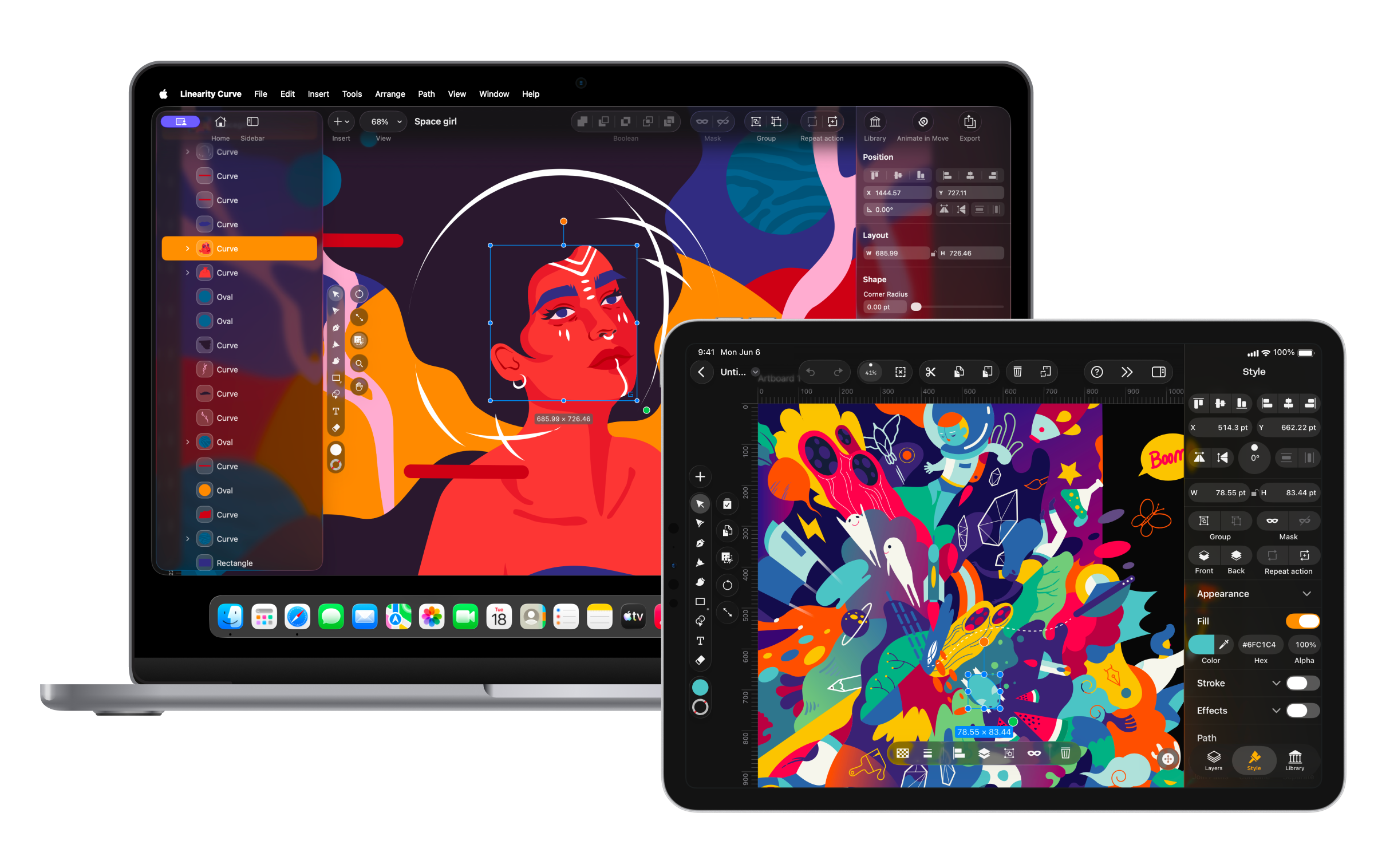
Linearity Curve works on Mac, iPad, and iPhone, so you can design wherever you want, even offline, and the interface stays consistent across devices.
It’s also more lightweight and affordable, making it a better fit if you want professional results without the cost and complexity of Illustrator.
Features | Illustrator | |
|---|---|---|
$3 / month | ||
Lightning Fast | ||
Beginner Friendly | ||
Great on iPad | ||
Background removal | ||
Built in Animation | ||
3m+ royalty-free images and icons | ||
Team collaboration | ||
Updates Every Week |
Design Intuitively
Stay in flow with Quick Actions and gesture-friendly controls.
Design with Precision
Turn images into vectors with Auto Trace. Remove backgrounds and perfect every node.
Save on Adobe fees
Get professional design tools, 75% cheaper than Adobe.
Adobe pricing is too damn high

How Linearity Curve fits into the Illustrator landscape

Design anywhere & on the go
I can honestly say, as a professional designer and content creator, that Linearity Curve is an invaluable tool to have as part of my work set-up.

Corporate Designer, Logo Designer, Hand Letterist

One design tool for all your needs

Export print ready designs

Linearity Curve features at a glance
Linearity powerful suite of tools is ideal for designers of all levels.
Pen Tool
Define precise vector points and create custom paths with Bèzier curves.
Shape Builder
Quickly sculpt complex designs from multiple shapes
Brush Tool
Freely draw editable vector paths.
Auto Trace
Instantly turn your raster images into vectors
Background Removal
Remove photo backgrounds with the tap of a button.
Figma Plugin
Export your Figma designs with the Linearity plugin
Feel at home in the Apple ecosystem
If you're already accustomed to using Apple products, you'll love how this vector software integrates seamlessly into your team's workflow. Our software has been optimized to provide a seamless design experience across all your Apple devices, and takes full advantage of iOS-specific gestures.
The interface? Sleek and powerful.
The experience? Inspired and alive.

Endless third-party importing options
Linearity Curve (formerly Vectornator) supports importing files from Figma, Illustrator, Sketch, and many more file formats. With Linearity Curve, you can also continue editing your files in other programs.
We're here to make your team's workflow simpler with our sophisticated features.



Save time with Background Removal



In Linearity Curve, Background Removal is a one-step process, streamlining the task even for those handling complex designs. Simply select your image and click 'Remove Background.' This user-friendly feature doesn't require advanced design skills, making it accessible to a broader range of users.
In contrast, removing image backgrounds in Adobe Illustrator can be intricate, involving tools like the Pen tool for path creation and clipping masks. Alternatively, users may attempt background removal with the Magic Wand tool, a process that demands more design skills.
Design. Illustrate. Animate. Anywhere inspiration strikes.


Frequently Asked Questions
Illustrator is the current industry standard in terms of vector design platforms. But the complexity and high fees are pushing designers to search for the best alternative design software on the market.
We believe Linearity Curve (formerly Vectornator) is the best alternative to Adobe Illustrator. It has an intuitive user interface that doesn't compromise on power. It offers advanced features: Auto Trace, Shape Builder, Background Removal, and Boolean operations tools.
Our platform also has built-in onboarding prompts with helpful video tutorials.
Linearity Curve is also so much more than an Adobe Illustrator alternative. Enjoy intuitive workflows, better integrations, and real-time collaboration.
Web designers use a specific toolset. They have a wide variety of skills. And they need to make screen-ready designs in optimal file sizes—fast. It's important to have design software with custom templates and a robust suite of vector editing tools. It should also be able to handle a variety of compatible formats, including .png, .jpg, and .svg.
Linearity Curve (formerly Vectornator) offers all these basic features and more. You can access an updated template library when creating a new document. These include social media size guides, web banners, device sizes, and resolutions. You can also save your own Custom Templates for smoother workflows. Linearity Curve supports an impressive range of import and export file formats for raster and vector images.
You don’t have to be stuck behind a desktop all day. Linearity Curve works across all your Apple devices, so you can keep designing on Mac, iPad, or iPhone. Once you’re happy with your designs, export and upload them to the web instantly. Wherever you are.
Adobe's Creative Cloud is known for its high cost, with Adobe Illustrator alone priced at US$22.99 per month. In contrast, you can enjoy access to both Linearity Curve and Linearity Move for just US$9.99 per month.
For many users, yes. Linearity Curve includes essential features like vector editing, typography tools, and auto-trace making it a solid Illustrator replacement.
Linearity Curve is faster, more intuitive and optimized for iPad and Apple Pencil, while still offering a powerful set of vector design tools.
Yes, Linearity Curve is a professional-grade design tool that’s considered one of the best Adobe Illustrator alternatives for Mac and iPad.
Linearity Curve offers a free version with professional features, and its Pro subscription is priced noticeably lower than Adobe’s making it a great free alternative to Adobe Illustrator.
One of the top Adobe Illustrator alternatives for Apple devices is Linearity Curve, offering powerful vector design tools with a user-friendly interface.
:quality(75))