Best Canva Alternatives in 2026
Compare 12 Canva alternatives for editable AI design, vectors, presentations, UI, data visualization, mobile editing, and video.
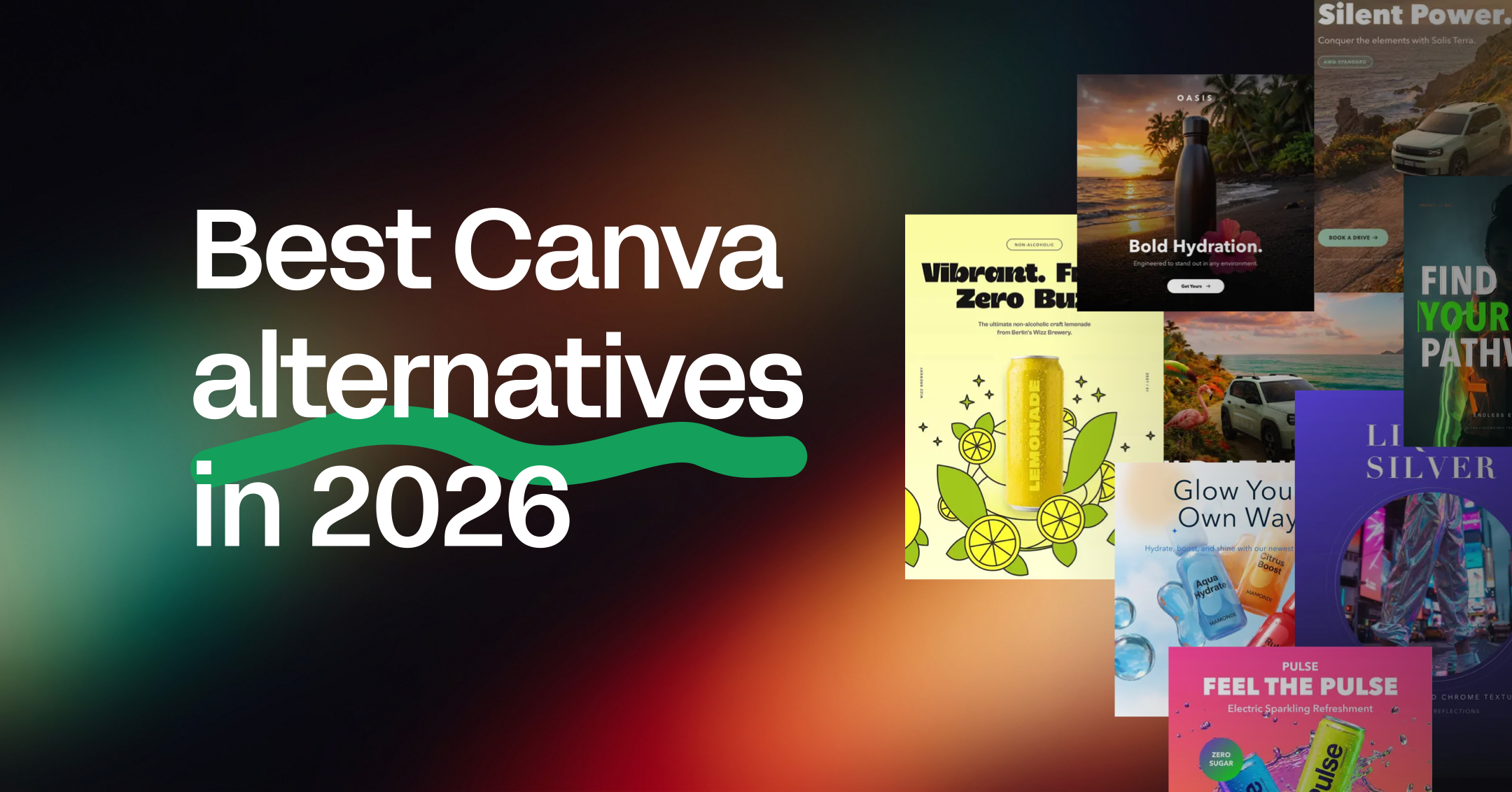
The best Canva alternative depends on what you need Canva to do better. For editable, on-brand AI design, pick Linearity AI. For the Adobe ecosystem, pick Adobe Express. For product UI, Figma. For pro-grade vector and photo work at no cost, Affinity. For quick decks, Gamma.
Canva changed a lot in 2026. It launched Canva AI 2.0 in April and the ProSuite in September. In late October it shipped its own image model (Craft) and a design-editing model (Brush). So the question is no longer "Canva or something with AI". Every tool on this list has AI now. The real question is what the AI gives you back: a flat image, a template you fill in, or a design file you can keep editing.
Canva alternatives compared
| Tool | Best for | What the AI gives you | Platforms | Free plan | Paid from (USD) |
|---|---|---|---|---|---|
| Canva (baseline) | Template-led content for everyone | Images (Craft), AI edits (Brush), designs from prompts | Web, iOS, Android, desktop | Yes | Pro $144/yr; Business $250/person/yr |
| Linearity AI | Editable, on-brand campaigns | Layered vector designs with live text, vector assets and images | Web, Mac, iPad | Yes (2,000 welcome credits) | $8/mo billed annually |
| Adobe Express | Adobe ecosystem teams | Firefly images, template designs | Web, iOS, Android | Yes | Premium from $9.99/mo |
| Affinity | Pro vector, photo and layout work | Background removal and generative fill (needs Canva Pro) | Mac, Windows, iPad | Yes, free app | AI via Canva Pro |
| Figma | Product and UI design | AI inside UI files, slides and prototypes | Web, Mac, Windows | Yes | Paid seats |
| Kittl | Type-led graphics and merch | Images and graphics on a template canvas | Web | Yes | $12/mo |
| Gamma | Web-native decks and docs | Card-based decks from a prompt | Web | Yes | Paid plans available |
| Visme | Infographics and data reports | Data visuals and drafts | Web | Yes | Paid plans available |
| VistaCreate | Canva-style social graphics | AI images and writing on Pro | Web, iOS, Android | Yes | $10/mo |
| Picsart | Mobile photo edits and social content | AI images, edits and task agents (resize, localize, brand) | Web, iOS, Android | Yes (limited weekly AI credits) | Paid plans available |
| ElevenLabs | AI video with voice, music and sound | Images and videos from third-party models, plus voiceover and lip-sync | Web | Yes | Paid plans available |
| Ideogram | Posters with readable text | Raster images with strong type | Web | Yes | Plus from $15/mo billed annually |
| ChatGPT | One-off images and copy | Raster images in a chat | Web, apps | Yes | Plus $20/mo |
What changed at Canva in 2026
Canva spent 2026 building its own AI stack. It is no longer just a template editor with AI features added on. That changes how you should judge alternatives.
What this means if you're comparing tools:
- Canva's AI images are better than they were. Craft is built for layouts and readable text, not photos alone. If your only complaint was "Canva's AI images look generic", test Craft before you switch.
- Editability still depends on the route. A Craft image starts as a picture. Canva says it can be turned into editable layers with its image-to-design tool, Magic, so check how much structure survives that step. Brush edits designs that already exist; it doesn't build a new vector file.
- The best AI is moving up the price ladder. Brush is Pro-only at launch, and Affinity's AI features also need a Canva Pro plan.
- Canva now owns several former "Canva alternatives". Affinity and Leonardo are both part of the Canva family. Switching to them keeps you inside Canva's ecosystem.
How we compared the tools
Canva covers a lot of ground, so there’s no single replacement. We picked tools that each do one part of Canva’s job better, whether that’s brand consistency, print, presentations, data, video or mobile editing.
For every tool, we looked at the same four things:
- What it’s built for: the job it does best, and who it suits.
- What its AI gives you: a flat image, a filled template, or a design you can keep editing.
- Where it falls short: the limits you’ll run into after the first result.
- What it costs: the free plan and the entry price, as of November 2026.
That’s why each review ends with a pricing line and a “best for” line: so you can match a tool to your job quickly.
The 12 best Canva alternatives, reviewed
1. Linearity AI: best for editable, on-brand AI design
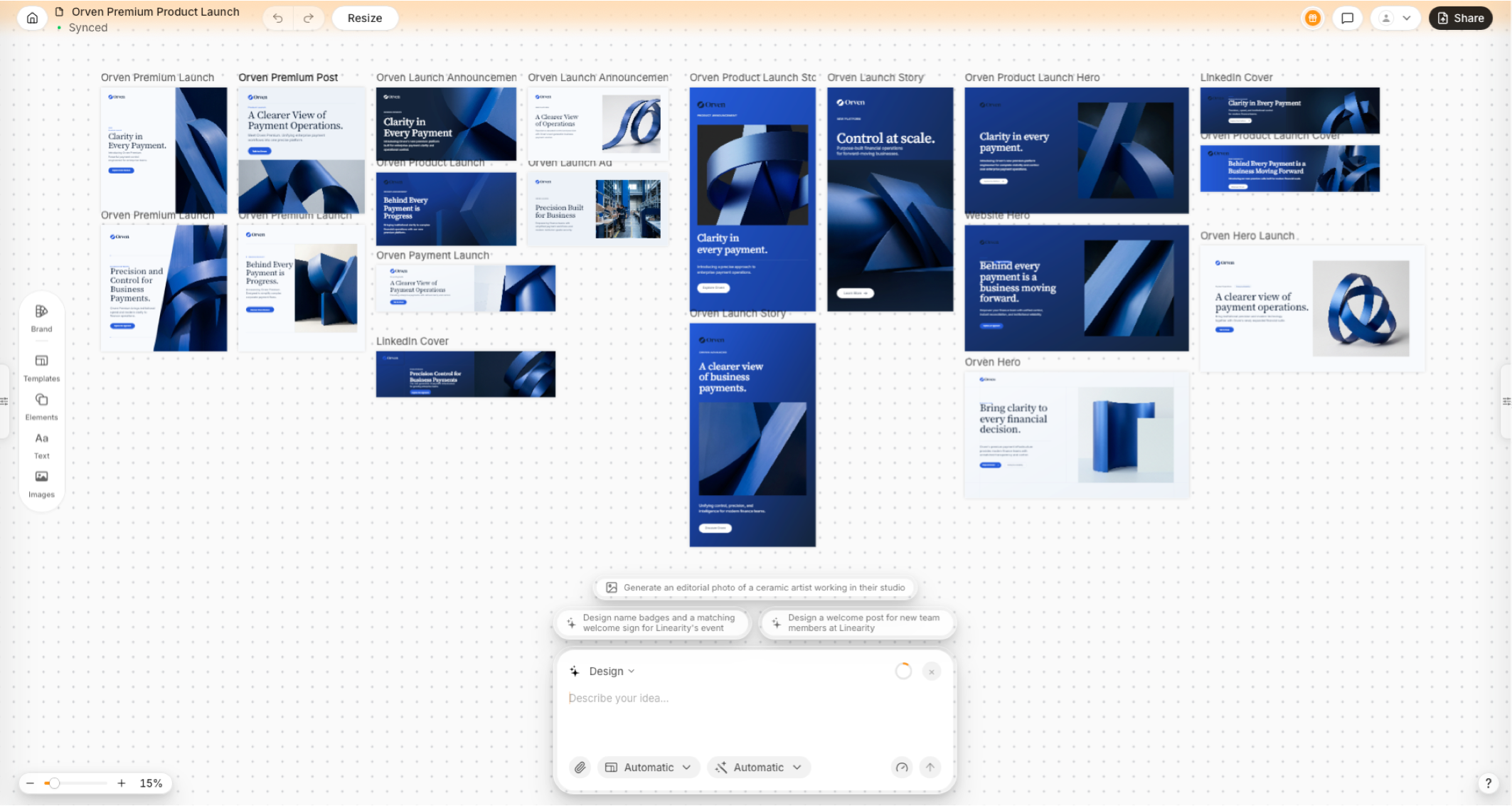
Linearity AI displays a complete, editable product-launch campaign across social posts, stories, banners, and web layouts on one canvas.
Linearity AI turns a prompt into a design file, not a picture. Canva's Craft plans a layout and then renders an image. Linearity's model, Vector 1.0, generates the design structure itself: live text, layers, and your brand colors as variables.
It has three generation modes, and each fits a different job:
| Mode | What you get | Use it for |
|---|---|---|
| Design | A complete layout with live, retypeable text, placed logo and images, and brand colors | Social posts, ads, banners, App Store assets, slides |
| Vector Asset | Native vector artwork: editable paths, shapes and layers that scale without blur (how AI vector generation works) | Icons, illustrations, stickers, logos, print graphics |
| Image | Raster images you can reprompt, crop, mask and place in a layout (AI image generation and editing) | Photographic scenes, textures, product shots |
Not sure which mode to start with? Our guide to image vs vector generation workflows walks through the trade-offs.
Where Linearity pulls away from Canva is what happens after the first result. You set up your brand once, with logo, colors and fonts, and every generation uses those exact values rather than close guesses. If something drifts off-brand, the tool flags it and explains why. Our brand management page shows how teams set this up.
The bigger time-saver is adaptation. AI Design Resize rebuilds a layout for each ratio instead of stretching it, so a square post becomes a Story and a LinkedIn banner without manual rework. Here's what that looks like when resizing Instagram posts. AI Design Translate does the same across markets, adapting a campaign into 10 languages in about 10 minutes, with each layout reflowed for the new text length.
Because the output is real vector, it also holds up in print. You can export SVG, PDF, AI, PNG, JPEG or TIFF, so one campaign can run from a social tile to a billboard. And when you want to finish by hand, every plan includes Linearity Curve for vector design and Linearity Move for animation, with Background Removal, Auto Trace, Magic Eraser and Super Resolution built in.
You don’t need a paid plan to get started, either. Linearity Curve, our professional vector design app for iPad and Mac, is free to use, with some limits on files and some export options. That makes it one of the few free Canva alternatives with real pen tools, layers and vector editing on a tablet, alongside Affinity. Many people start in Curve for free and add Linearity AI later, when they want brand-aware generation, resizing and translation on top.
Pricing: Free plan with 2,000 welcome credits (valid for 7 days). Pro is $8/month billed annually, with 600 credits a month. Studio starts at $25/month billed annually (pricing).
Watch for: Linearity has a much smaller template and stock library than Canva. AI use is credit-based. The Curve and Move apps run on Mac and iPad powered by AI, as well as AI generation also works on the web. If your team mainly needs huge template variety, Canva still wins on breadth.
Create editable, on-brand designs with Linearity
2. Adobe Express: best if you already pay for Adobe
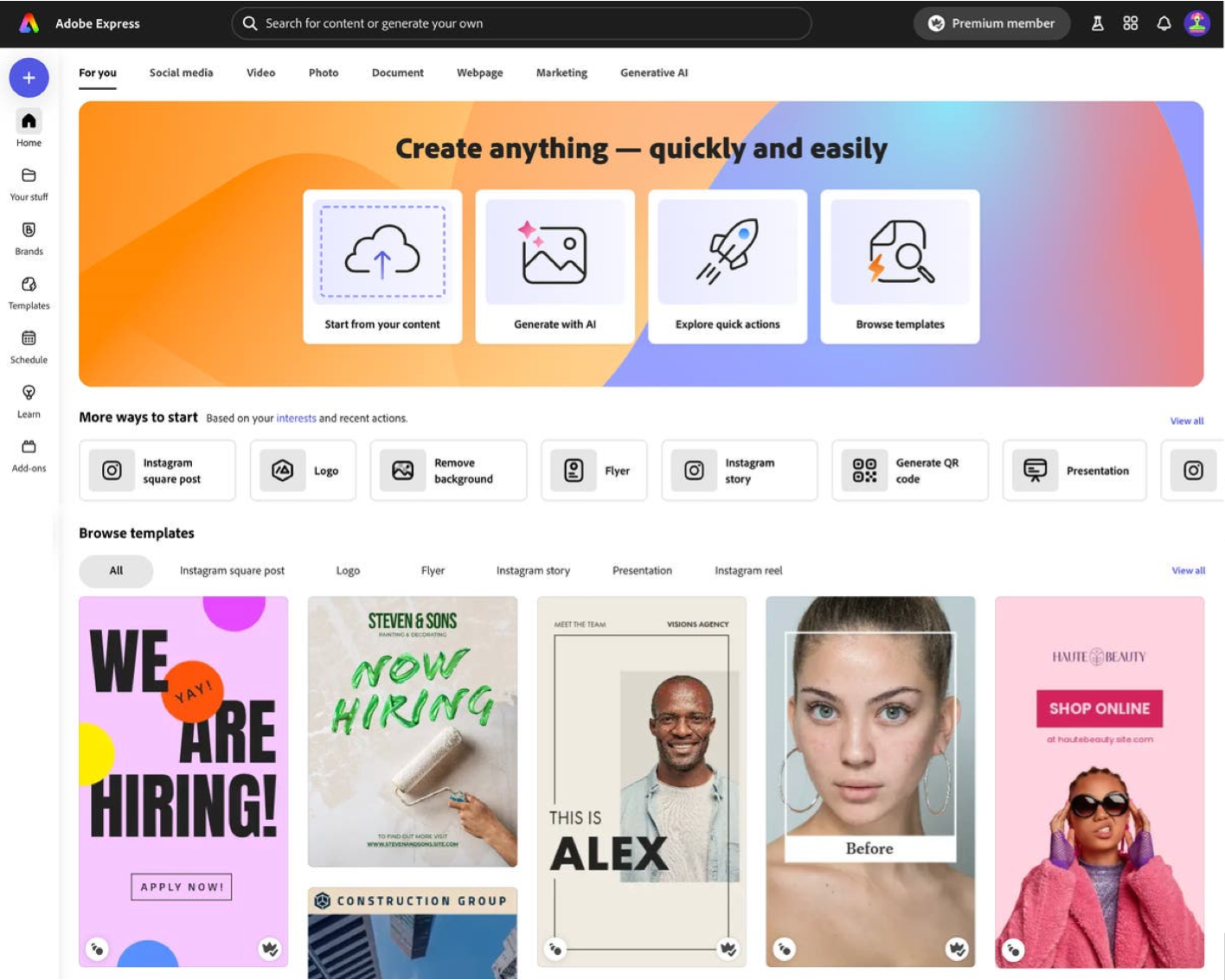
The Adobe Express home screen combines Firefly generation, quick actions, and templates for common marketing formats.
Adobe Express is Adobe's direct answer to Canva, and it's the most like-for-like swap on this list. It's a browser and mobile editor built around templates for social posts, flyers, short videos and simple web pages. If you've used Canva, you'll find your way around in minutes.
What sets it apart is the Adobe plumbing underneath. Adobe Stock, Adobe Fonts and Creative Cloud Libraries are built in, so an asset made in Photoshop or Illustrator drops straight into a social template. Firefly powers the AI side, with text-to-image, Generative Fill and text effects. Adobe markets Firefly as safe for commercial use, which matters to brand and legal teams.
For everyday marketing, it covers the basics well: brand kits, quick resizing, a content scheduler and light video editing. The catch is that its depth depends heavily on your plan. Firefly credits, premium stock and brand controls all vary by tier. And like Canva, it's template-first, so you won't get real vector or structural editing.
In short, Adobe Express makes the most sense when Creative Cloud is already part of your stack. If you're comparing it with other simple editors, our Adobe Express alternatives guide covers the field.
Pricing: Free plan available. Premium from $9.99/month. Firefly generative credits depend on the plan.
Best for: Marketing teams already in Creative Cloud who want a faster editor for everyday assets.
3. Affinity: best free professional design suite
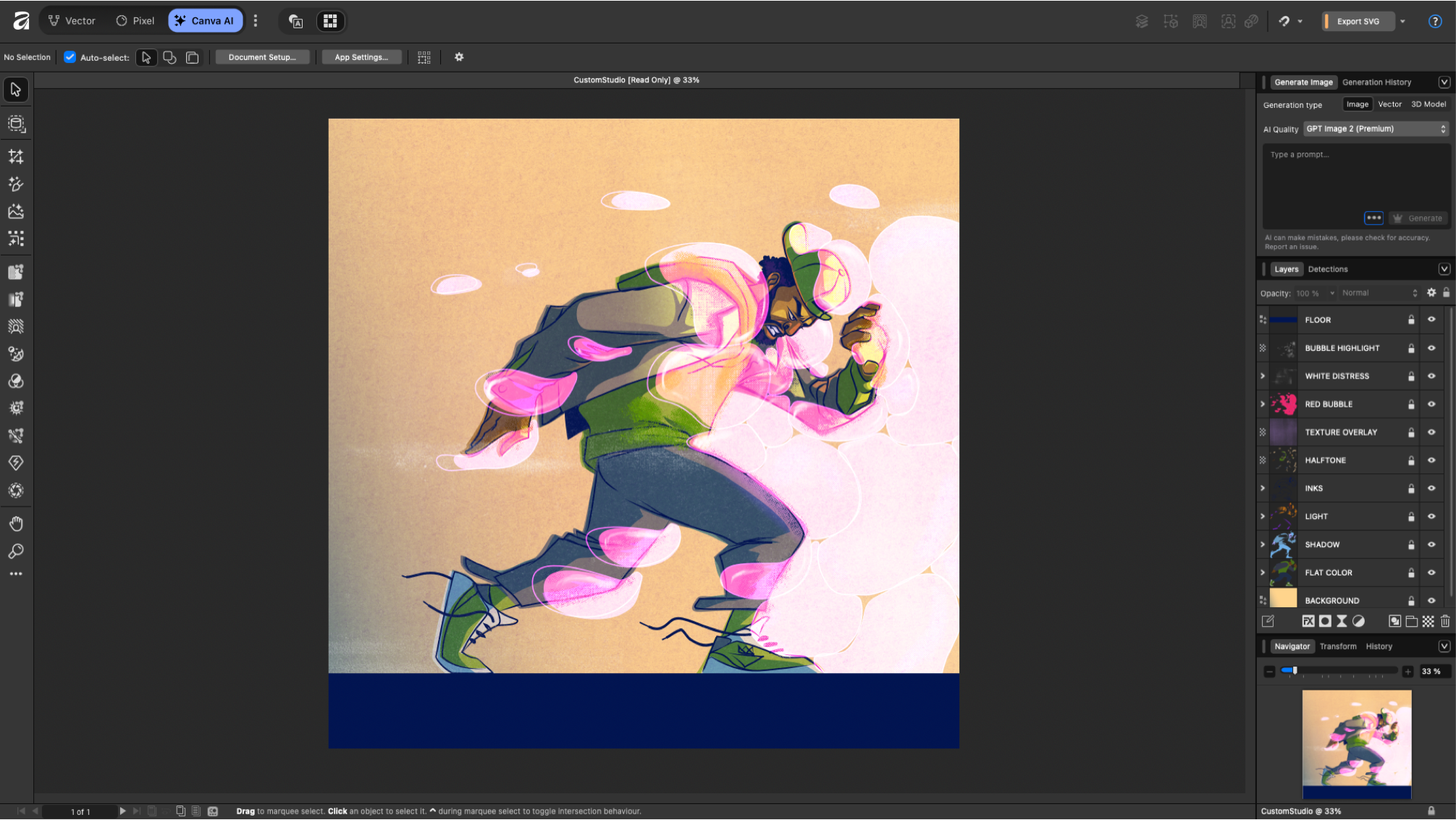
Affinity’s desktop workspace shows a layered vector illustration alongside professional drawing, layer, and export controls.
Affinity used to be three paid apps: Designer, Photo and Publisher. Canva bought it in 2024 and has since made the core app free, merging vector, photo and page layout into one place. For anyone who has outgrown Canva's templates, that makes it the strongest free professional tool around.
This is a real designer's tool. You get pen and node editing comparable to Illustrator, layered photo editing with masks and adjustments, and multi-page layout for brochures and magazines. It handles CMYK, spot colors and professional print export properly, and it runs as a native app on Mac, Windows and iPad, offline.
There are two things to weigh. First, there's no prompt-to-design workflow. Its AI features, such as background removal and generative fill, are edits rather than generators, and they need a Canva Pro plan. Second, it's owned by Canva, so moving to Affinity keeps you inside the Canva ecosystem. Expect a learning curve if you've only used drag-and-drop editors.
If you're weighing it against Linearity Curve, our Affinity Designer comparison goes feature by feature, and our best Adobe Illustrator alternatives covers the wider field.
Pricing: The core app is free. AI features such as background removal and generative fill require a Canva Pro plan ($144/year).
Best for: Designers and print-heavy teams who want pro tools without a subscription.
4. Figma: best for product and UI teams
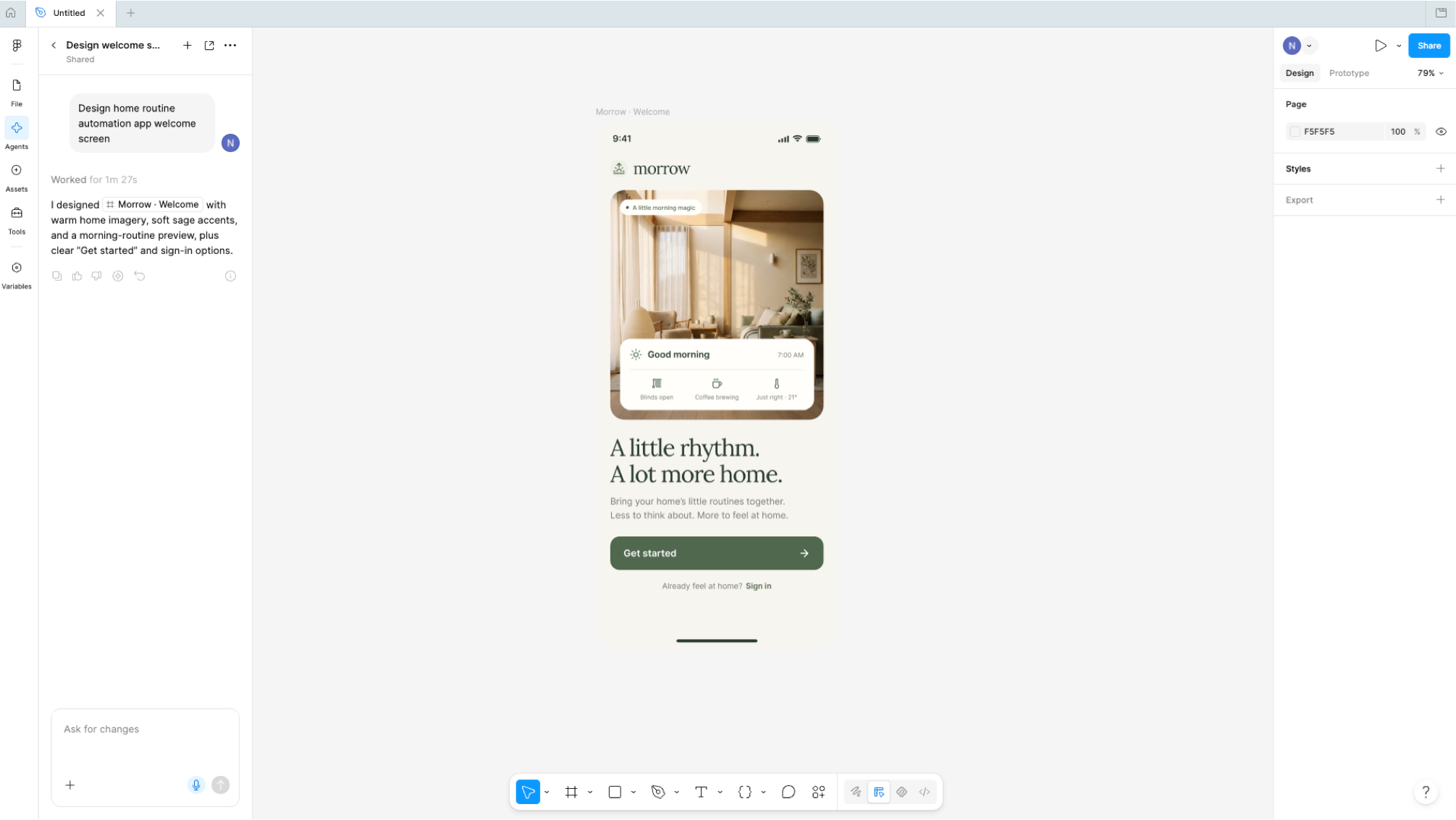
Figma’s AI agent has generated a mobile welcome screen that remains available on the shared product-design canvas.
Figma isn't really a Canva replacement for most marketing teams, but it belongs here for one reason: it's where product teams already work. It's the standard tool for interface design, built around shared files, reusable components and prototypes that developers build from.
Its strength is consistency at scale. Components, variables and auto layout mean a change to a button or a color updates everywhere it's used. Dev Mode hands designs to engineers, FigJam covers workshops, and Figma Slides lets teams build presentations from the same design system. Collaboration is still the best in the category, and the plugin ecosystem is huge.
The trade-off is that Figma is more tool than most marketers need. It isn't built for print, multi-format campaign resizing or quick social posts, and its per-seat pricing (Full, Dev and Collab seats) adds up as more people need edit access.
If your team works across both worlds, see our Figma comparison and Figma alternatives. The Linearity Figma plugin also moves Figma designs into Curve for animation or print.
Pricing: Free plan available. Paid plans are priced per seat.
Best for: Product, UX and web teams who want marketing assets to live in the same system as the product.
5. Kittl: best for type-led graphics and merch
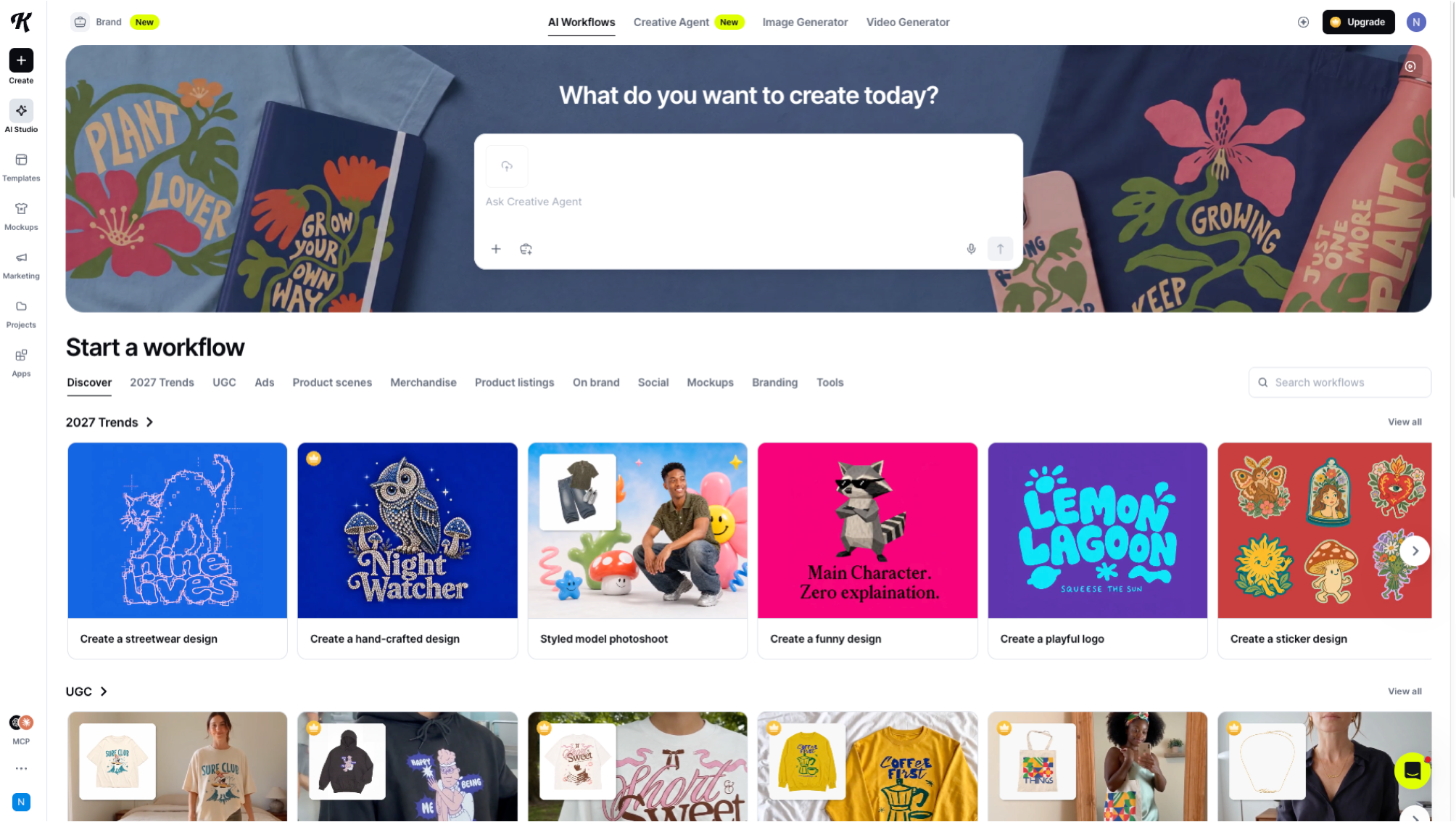
Kittl’s AI workflow gallery focuses on merchandise, lettering, logos, stickers, mockups, and other creator-led graphics.
Kittl is a Berlin-based browser tool that sits somewhere between Canva and Adobe. Its specialty is typography. Display fonts, text effects and badge-style layouts that would take an hour by hand are a few clicks away, which is why it's a favorite with print-on-demand sellers and merch designers.
The rest of the toolkit is built around that same audience. Product mockups put your design on t-shirts, mugs and packaging. An image vectorizer turns pictures into vector graphics, and AI image generation fills in illustrations. Since early 2026, an AI video generator can turn a mockup into a short product showcase clip.
Kittl is less suited to brand teams producing campaigns across many formats. AI features run on tokens, so heavy use adds up, and real-time collaboration is reserved for business plans. Think of it as a strong single-graphic tool rather than a campaign system.
If lettering is what drew you to Kittl, our guide to old English fonts shows how to build similar type treatments in Curve.
Pricing: Free plan with limited exports and AI tokens. Paid plans from $12/month; higher tiers run up to $48/month.
Best for: Merch, print-on-demand and type-heavy social graphics.
6. Gamma: best for fast web-native decks
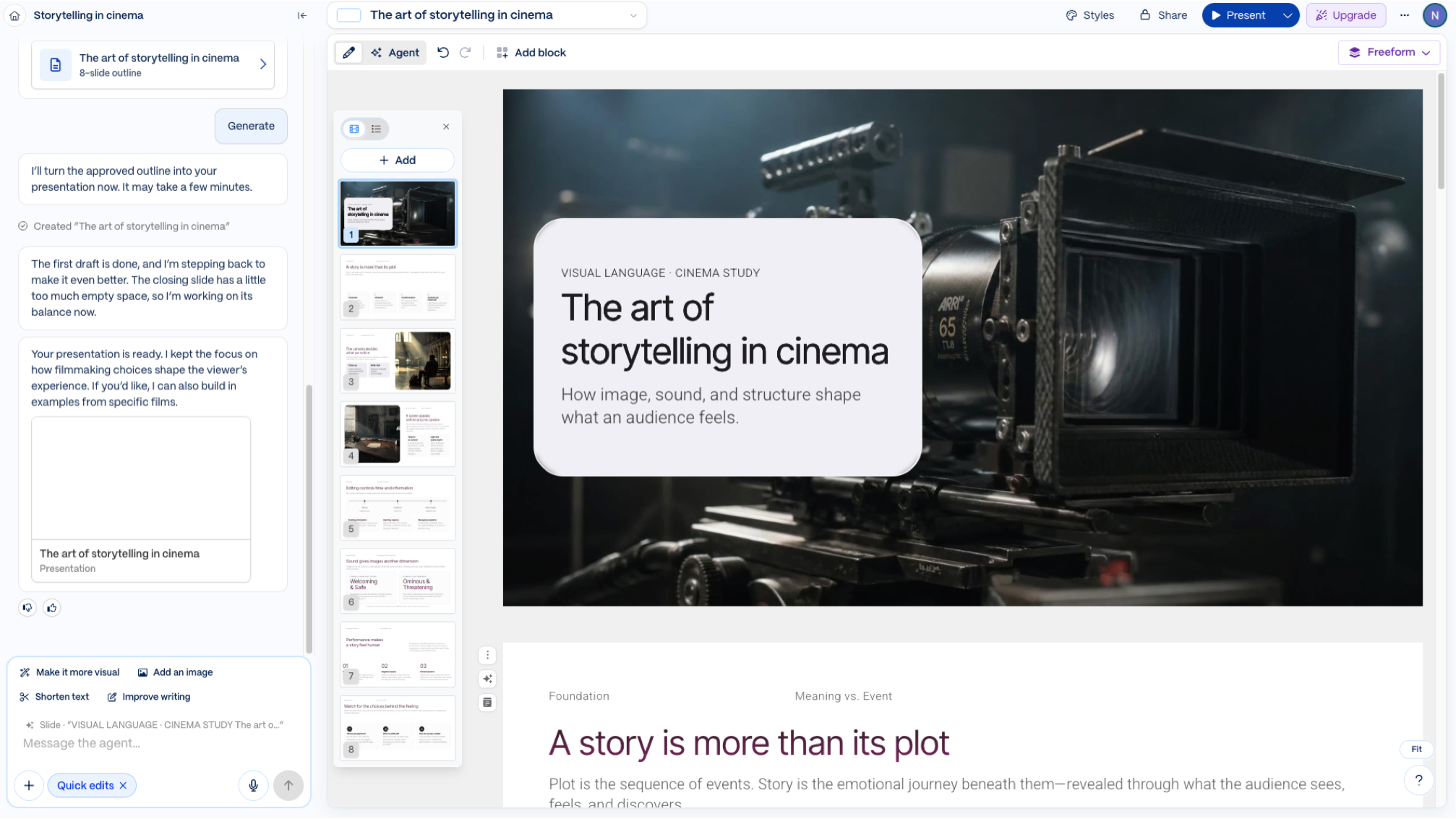
Gamma’s agent turns an outline into a complete presentation, with editable cards and conversational refinement beside the deck.
Gamma is the fastest route from rough notes to something you can present. Paste an outline, import a document or write a prompt, and it produces a deck, a document or a simple web page in seconds.
It does this with flexible cards rather than fixed slides. Cards reflow on any screen, which makes Gamma decks easy to read on a phone. You share them as a live link that stays current after sending, and paid plans show who viewed what. Themes, custom fonts and logos keep things roughly on brand.
The card model is also its limit. It isn't a free-form canvas, so pixel-precise layouts are hard. Exported PowerPoint files can lose gradients, effects or fonts, and Gamma isn't built for social, ad or print assets at all. For internal updates and pitch drafts, though, it's hard to beat.
Pricing: Free plan with limits on generations and branding. Paid plans add more AI use, custom domains and analytics.
Best for: Internal decks, pitch drafts and documents shared as links.
7. Visme: best for data visualization
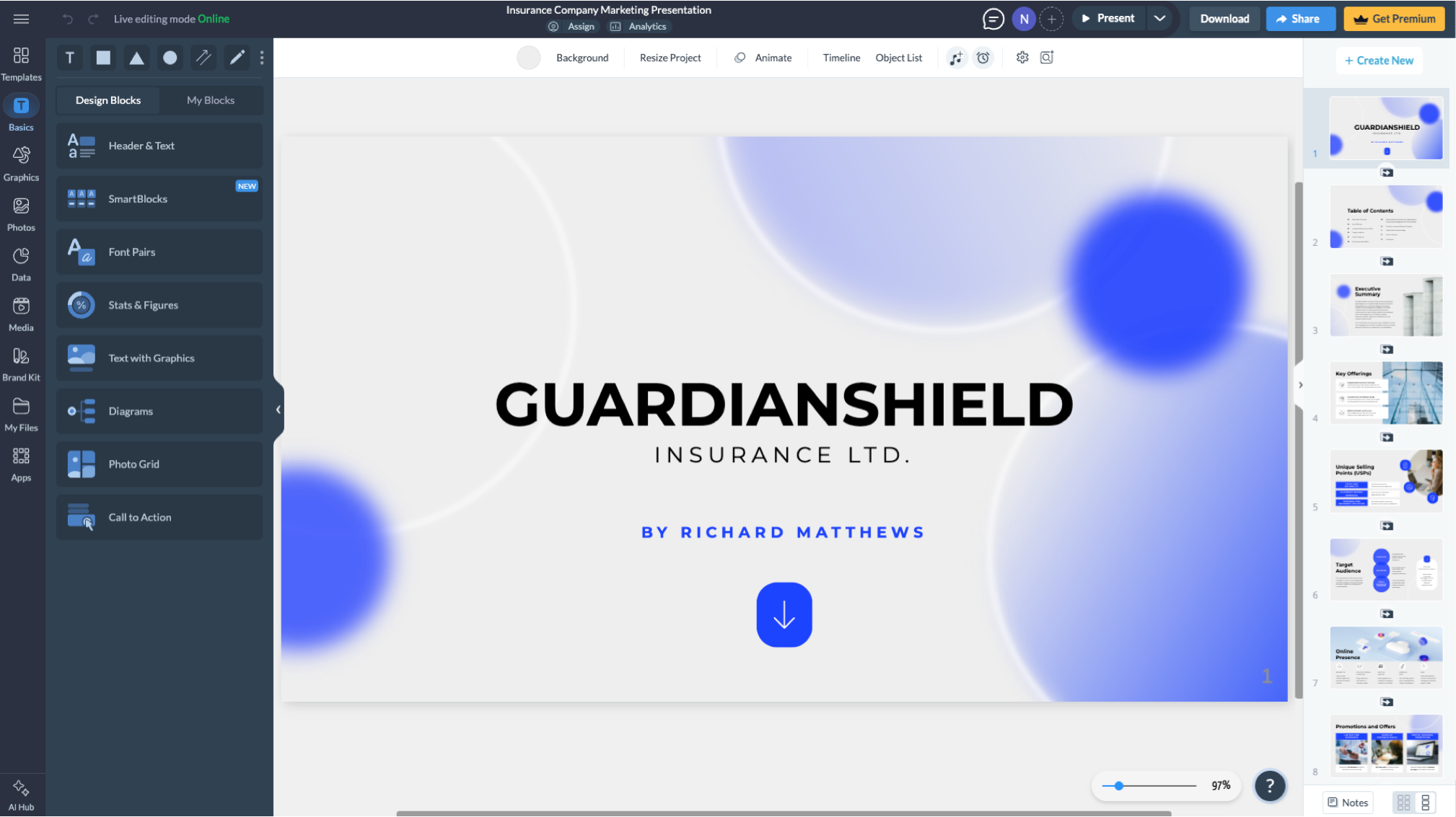
Visme’s presentation editor combines design blocks, charts, data tools, brand assets, and slide-level editing in one interface.
Visme looks like Canva at first glance: drag-and-drop editing, templates, a familiar canvas. The difference is what it's built for. Visme is a data-storytelling tool, and charts, maps, infographics and interactive reports are its core.
That focus shows in the details. You can connect live data from Google Sheets or Excel Online, so a report updates itself. Output can be interactive, with clickable reports, embedded presentations and animated infographics. Paid plans add view analytics, brand kits and team collaboration, which is useful for anyone sending reports to clients.
For a quick social post, Visme feels heavier than it needs to be, and the free plan is limited for real production work. But for reports, infographics and data-driven decks, it does what Canva only gestures at. Need a palette that keeps charts readable? See our guides to color palettes and monochromatic colors.
Pricing: Free plan with limits on downloads and storage. Paid plans add brand controls, analytics and more exports.
Best for: Marketers, analysts and educators who make reports, infographics and data-driven decks.
8. VistaCreate: best budget Canva look-alike
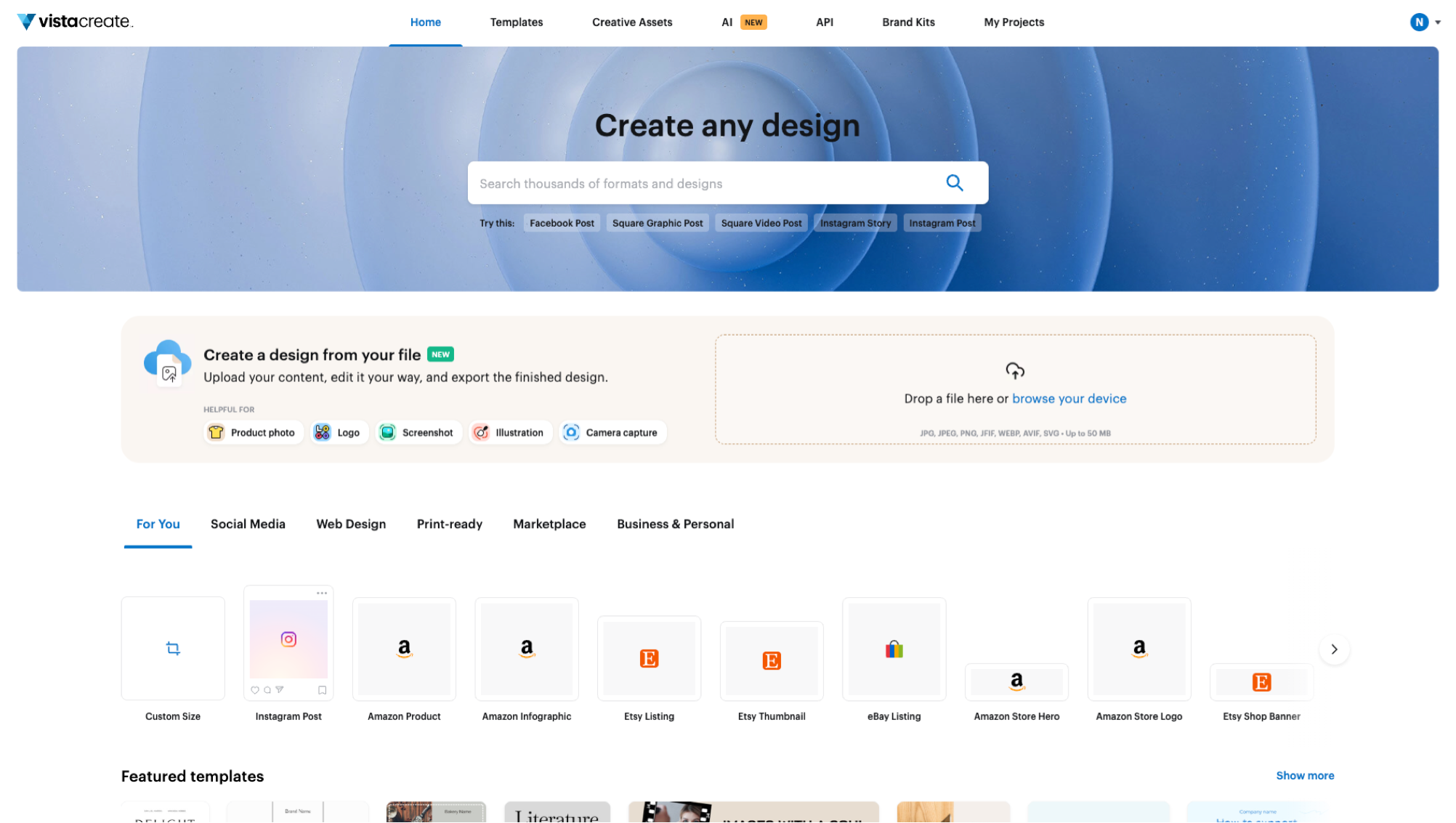
VistaCreate offers a familiar template-led home screen with preset formats, file uploads, brand kits, and marketplace designs.
VistaCreate, from the company behind VistaPrint, is the tool on this list that works most like Canva. If you like Canva's workflow but want a cheaper subscription or a different template library, this is the most direct swap. There's almost no learning curve.
It covers the same ground: templates for social, ads, simple print and presentations, plus a strong set of animated templates and video assets. Pro adds brand kits, one-click resize and version history, along with AI image and writing tools and background removal. Built-in scheduling handles social publishing, and the VistaPrint connection makes ordering printed products easy.
The flip side is that VistaCreate doesn't really solve Canva's limitations. It shares the same template-first, hands-on editing model, it has a smaller ecosystem of apps and integrations, and its AI is less developed than Canva's 2026 models. If you're making animated posts, our guide to marketing animation shows how Linearity Move handles motion.
Pricing: Free Starter plan. Pro from about $10/month.
Best for: Small businesses and creators who want a Canva-style editor at a lower price.
9. Ideogram: best for text inside AI images
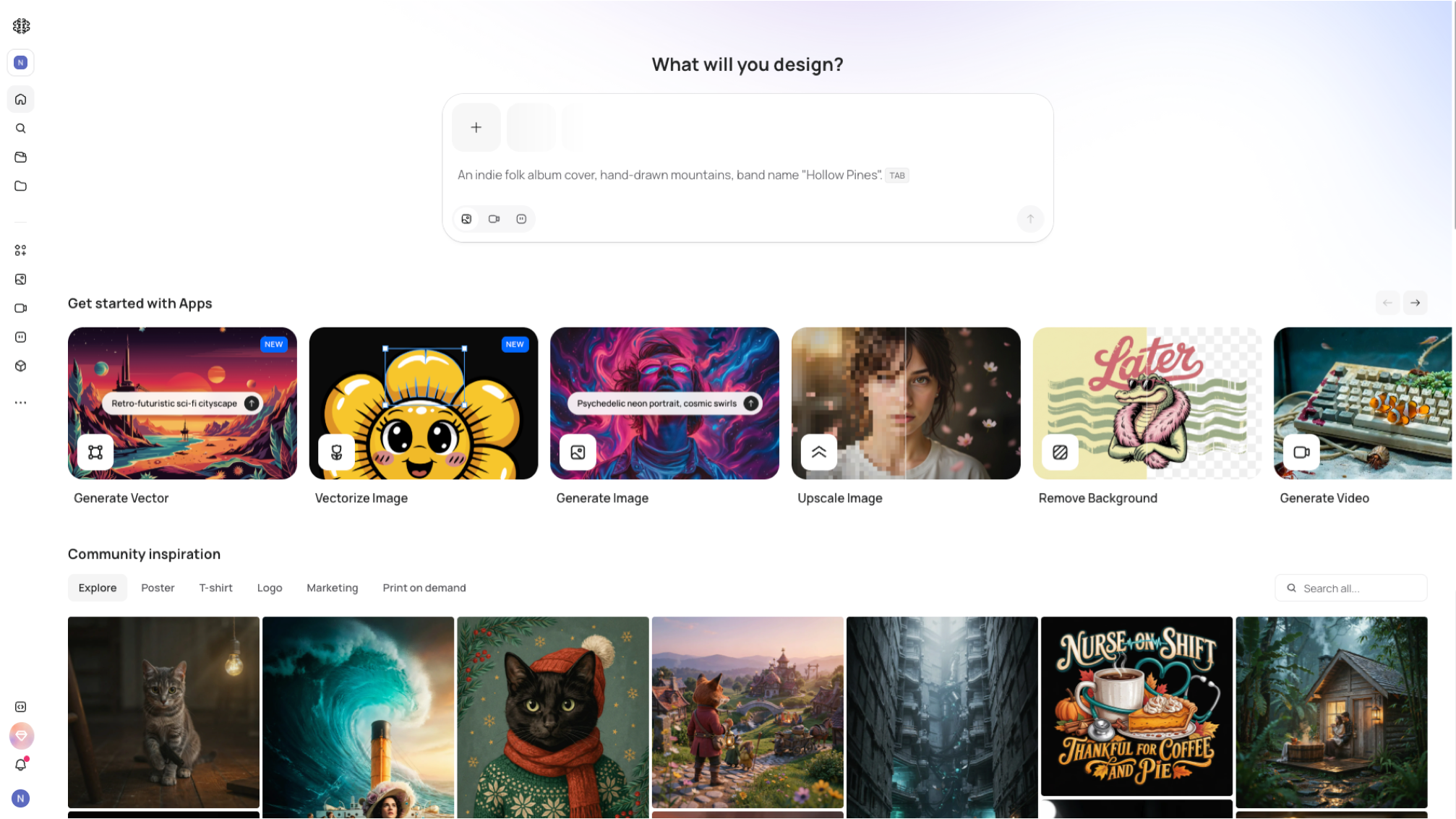
Ideogram’s creation screen presents prompt-based image tools alongside community examples for posters, typography, and illustrations.
Ideogram earned its reputation by solving the problem most image models still fumble: text. Headlines, labels and logo wordmarks come out legible far more often than elsewhere. That makes it a natural pick for posters, social graphics and merch concepts where the words are part of the picture.
The interface is simple. You write a prompt, pick a style preset for posters, logos or illustrations, and refine on a canvas with Magic Fill, image extension and in-place text edits. You can also upload your own images to remix them.
The limitation is the format. Everything Ideogram produces is raster, so you can't edit shapes or scale the result like vector art. Because the text is part of the image, a typo means regenerating or retouching. There are no brand kits or multi-format layouts either. A practical workflow is to generate a concept in Ideogram, then run it through Auto Trace to get editable vectors.
Pricing: Free plan with limited generations. Plus from $15/month billed annually.
Best for: Concept posters and text-led images.
10. ChatGPT: best for one-off images from a chat
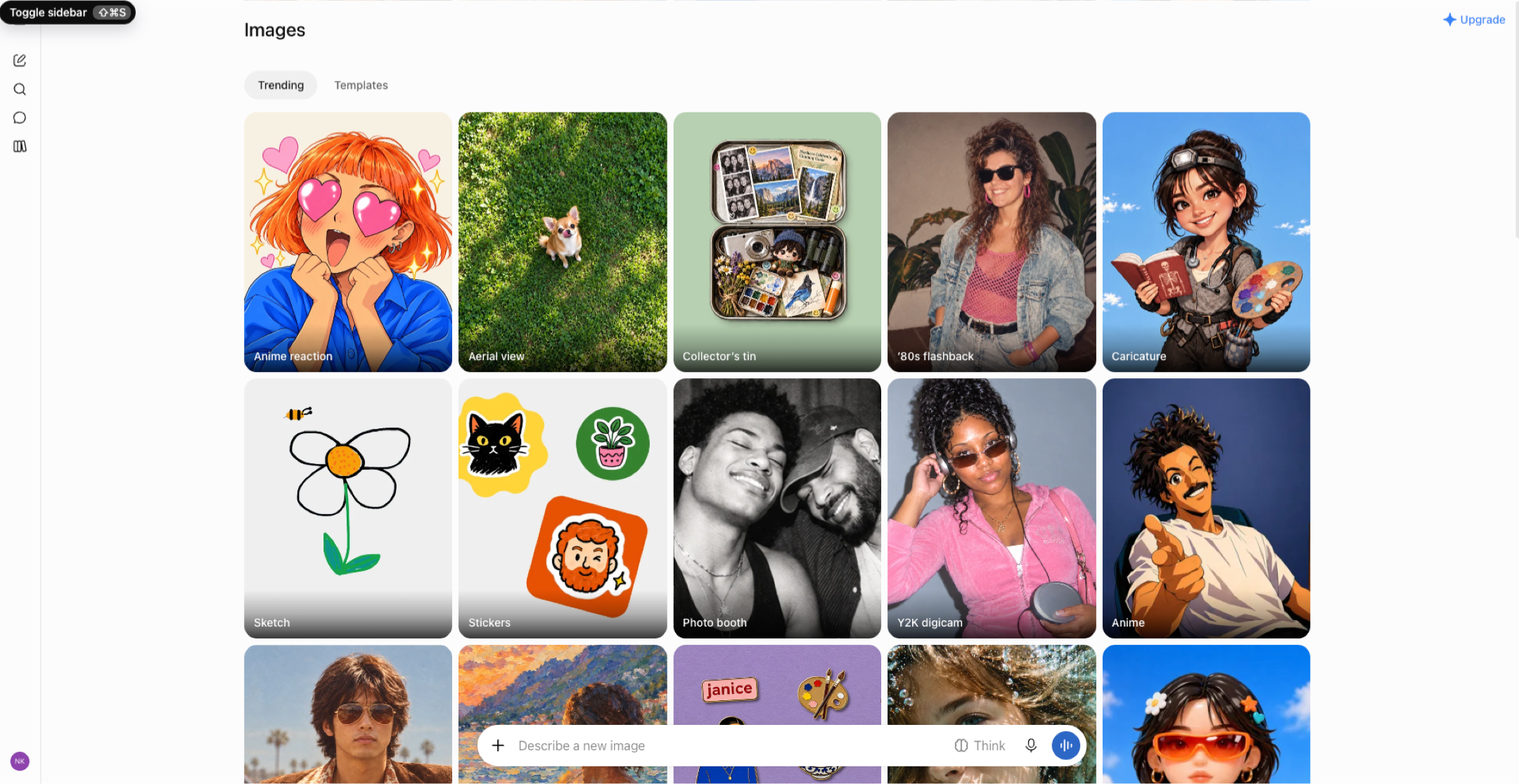
ChatGPT Images keeps generated illustrations, photos, sketches, and style experiments together in a visual gallery.
For a lot of people, ChatGPT is now the design tool they reach for first, even though it was never built as one. In a single conversation, you can shape a brief, write the headline and generate the image, then ask for changes in plain language. Coverage of Canva's own image model framed it partly as a defense against exactly this kind of chatbot design.
That convenience is real. You can upload references or rough sketches, iterate by describing what you want, and get copy and visuals that fit together. For a one-off image or an early concept, it's often the fastest option, and you don't need to learn any software.
The weakness shows up the moment you need to change something. The output is a flat image with the text baked in, so editing one word or adapting to a new size means generating again. Brand colors and fonts are approximate rather than exact. If you like working in chat but need editable files, the Linearity ChatGPT plugin generates designs you can open and edit in Linearity.
Pricing: Free with limits. Plus costs $20/month.
Best for: One-off visuals, early concepts and people with no design tool at all.
11. Picsart: best for mobile photo and social edits
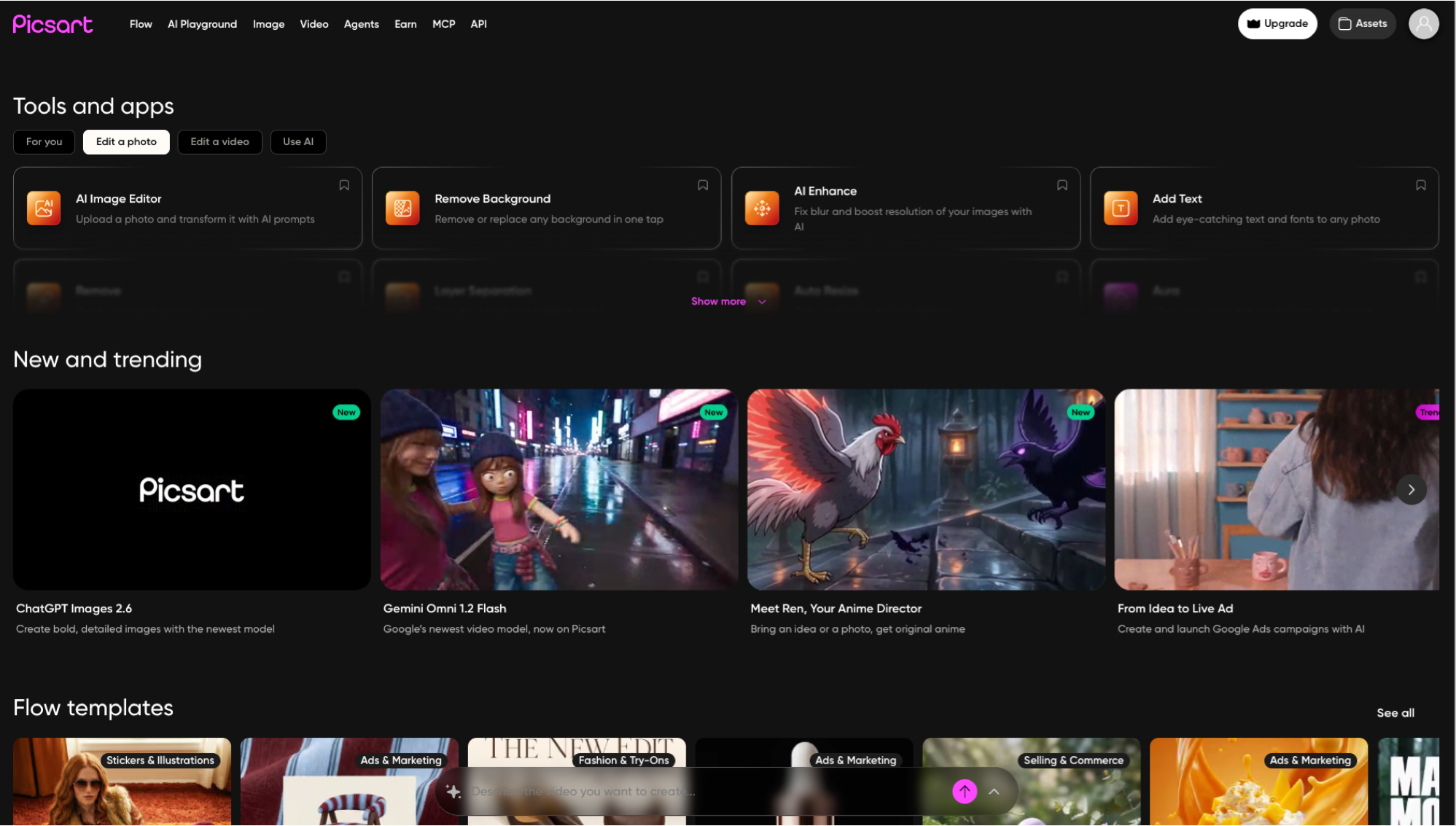
Picsart brings AI image editing, background removal, enhancement, text tools, and trending creative templates into one workspace.
Picsart started life as a mobile photo editor and has grown into a broad AI creative app on web, iOS and Android, with a very large creator audience. Its natural home is the phone: quick photo fixes, social content, stickers and effects.
The photo toolkit is deep. It includes filters, retouching, background and object removal, AI backgrounds and upscaling, along with AI image generation and templates for posts, stories and thumbnails. More recently, Picsart added AI agents for specific jobs, such as resizing, localization, brand content and product listings. Picsart says these are included on all paid plans.
Where it falls short is production work. Output is mostly raster and template-based, so it isn't suited to vector or print. AI use is credit-limited, especially on the free plan, and brand control across a team is basic compared with dedicated brand tools. If you're editing for a specific platform, our Instagram size guide and TikTok size guide cover the exact dimensions.
Pricing: Free plan with a small weekly allowance of AI credits. Paid plans add credits and premium content.
Best for: Creators and small sellers making social content on their phone.
12. ElevenLabs: best for AI video with voiceover and sound
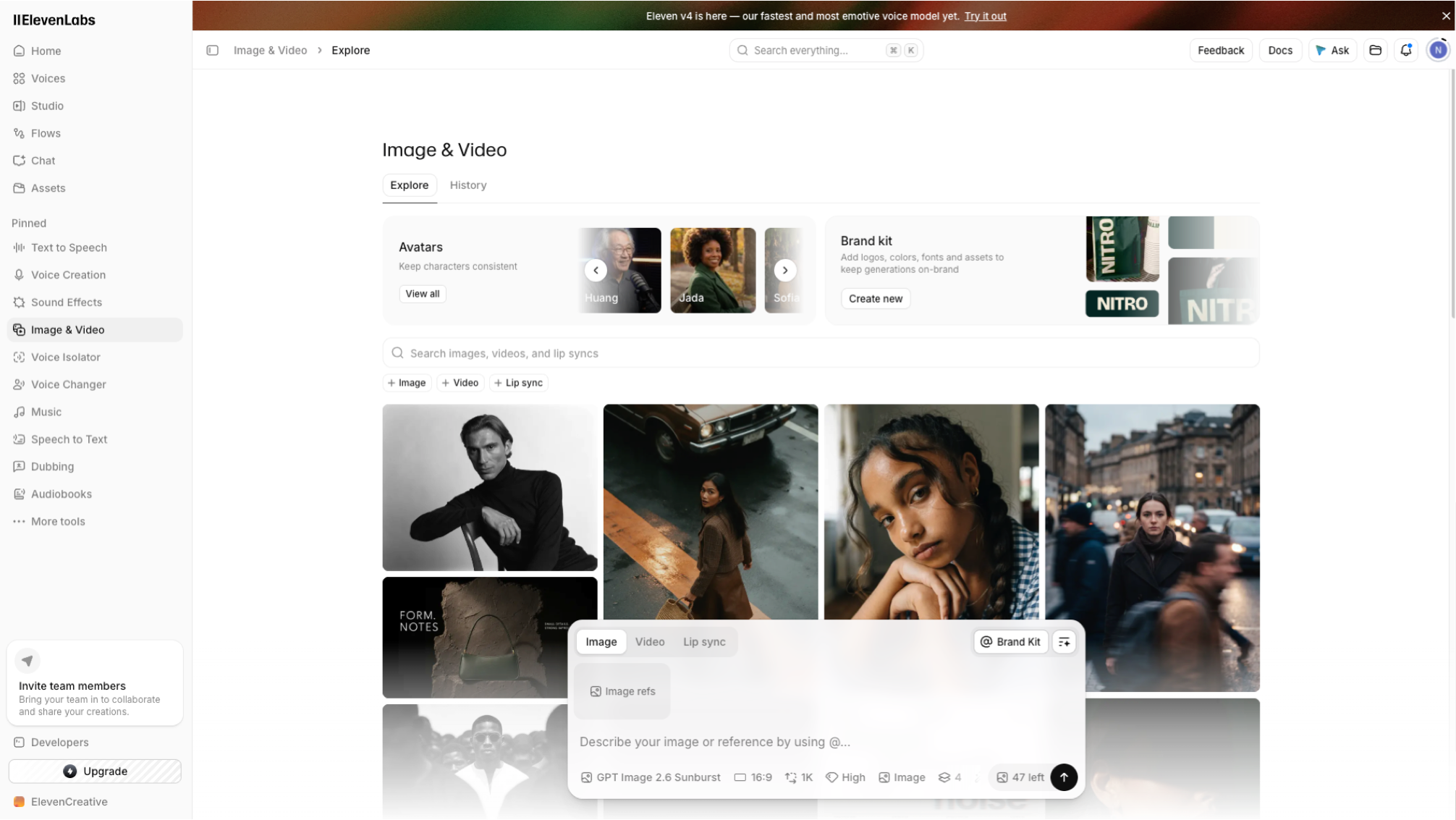
ElevenLabs’ Image and Video workspace combines visual generation, avatars, brand-kit controls, video, lip sync, voice, and sound workflows.
ElevenLabs is best known for AI voice, but since late 2025 it has quietly become a video studio too. Its Image & Video (beta) lets you generate visuals and then give them a voice, music and sound in the same place. That combination is what makes it interesting as a Canva alternative for video-led teams.
Rather than training its own visual models, ElevenLabs gives you access to leading third-party ones. You can use Nano Banana, Flux Kontext, GPT Image or Seedream for images, and Veo, Sora, Kling, Wan or Seedance for video. Clips then move into the Studio timeline, where you add voiceover from a voice library or your own cloned voice, lip-sync, AI music and sound effects. Upscaling handles the final resolution.
It is not a design editor, though. There are no layouts, brand kits or editable text layers, and visual quality depends on which third-party model you choose, each with its own credit cost. The feature is also still labeled beta. For animated design assets rather than generated footage, Linearity Move and our After Effects alternatives guide are better starting points.
Pricing: Free plan available. Image and video generation use the same credits as paid ElevenLabs plans.
Best for: Marketers and creators making short videos with voiceover, such as ads, explainers and social clips.
Which Canva alternative fits your job?
Choose by the bottleneck you want to fix, then test one real project before you switch.
| If you need… | Choose | Why |
|---|---|---|
| One campaign in every size and language, on brand | Linearity AI | Layouts reflow and translate as editable files |
| Logos, icons or illustrations that scale | Linearity AI (Vector Asset mode), Affinity | Native vector paths, SVG and PDF export |
| Print-ready files | Linearity AI, Affinity | Vector output and production PDFs |
| Assets inside an Adobe workflow | Adobe Express | Shares Creative Cloud assets and Firefly |
| Product UI and prototypes | Figma | Components, prototypes and dev handoff |
| Pitch decks fast | Gamma | Prompt-to-deck workflows |
| Charts and reports | Visme | Live data and interactive visuals |
| Merch and type-heavy posters | Kittl, Ideogram | Display type and text-in-image generation |
| Quick photo edits on your phone | Picsart | Mobile-first editing with AI tools |
| Short videos with voiceover and music | ElevenLabs | Video generation plus audio in one timeline |
| A cheaper Canva-style editor | VistaCreate | Familiar template workflow |
Free Canva alternatives
Every tool in this list has a free entry point, but the limits differ:
- Affinity: The full app is free; only AI features need a paid Canva plan.
- Linearity AI: 2,000 welcome credits for 7 days, plus Curve and Move with usage limits.
- Kittl, VistaCreate, Visme, Gamma, Picsart, ElevenLabs: Free plans with caps on exports, AI credits or downloads.
- ChatGPT and Ideogram: Free image generation with daily or monthly limits.
Check the limit that matters to your project, whether exports, resolution, brand kits or AI credits, rather than the headline "free".
Apps like Canva for iPad and iPhone
If you design on a tablet, Linearity Curve is a native iPad app with Apple Pencil support and is simpler to get started with than Affinity. Affinity is also a full design app on iPad. Linearity AI generations sync to Curve. Canva, Adobe Express, Picsart and VistaCreate have mobile apps for quick template and photo edits.
When Canva is still the better choice
Stay with Canva if your team mainly needs huge template and stock variety, publishes everyday content quickly, and already works there together. Canva AI 2.0, Craft and Brush have closed some of the gap on AI output. Switch when your bottleneck is brand accuracy, editable files, multi-format production or print, not template choice.
Frequently asked questions
It depends on the job. For editable, on-brand AI design across many formats, Linearity AI. For Adobe users, Adobe Express. For free professional design, Affinity. For UI, Figma.
Affinity's core app is free with no time limit, though its AI features need a Canva Pro plan. Most other alternatives have free plans with limits on exports or AI credits.
Many do, for quick work. For brand and print work, designers often want precise vector control, exact brand values, layered source files and print-ready exports. Template-first tools aren't built around those.
Adobe Express, Figma, Linearity, Picsart, Kittl, VistaCreate, Visme and Gamma, plus AI assistants like ChatGPT for one-off images. Affinity and Leonardo were competitors but are now owned by Canva.
Craft is a strong image model built for layouts and readable text, and Brush edits existing Canva designs. Both start from Canva's template-and-image approach. Tools like Linearity AI generate the design file itself, with live text and brand colors as variables.
Export from Canva as PDF or SVG (SVG needs a paid plan) and import the files into your new tool. Expect to rebuild some text and effects. Plan to rebuild your brand kit once in the new tool.
Linearity Curve and Affinity are native on both, with full vector tools and Apple Pencil support. Linearity AI adds prompt-to-design generation on the web and in the apps.


App of the Day
6.1K ratings
Get Started for free

Design in Curve.
Create sharp, scalable designs with intuitive tools for logos, illustrations, and professional branding.

Animate in Move.
Effortlessly create animations for social media, online ads, and motion graphics.
Trusted and used by leading brands


